5
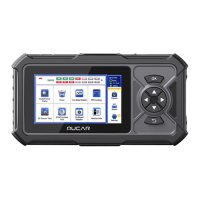
MUCAR CDE900 MAX has 12 main modules, Code/Freeze Frame, Erase, Live Data
Stream, O2S Test, EVAP System Test, On Board Monitor, Version info, DTC Lookup,
Expand, Report, Settings,SMOG.
1.Plug in the OBD diagnostic cable after the car is turned on, and the device will
automatically scan for OBD protocols (wait while scanning).
Note: You can click on "SMOG" to see the corresponding supported protocols, grey protocols are
not supported, green protocols are ready and red protocols are not ready.
2. Select "Code/Freeze Frame" to view fault codes and freeze pins. Select "Read DTC",
and select vehicle model to view dtc. Select "View Freeze Frames", monitor status since
DTCs cleared, view the engine's current power system diagnostics.
3. Select "Erase" and click "OK" to clear the fault code.
4. Select "Live Data Stream" and click "OK" to view all data streams.
5. Select "DTC Lookup" to query fault code analysis.
6. Select "O2 Sensor Test" and click "OK" to view the O2 Sensor data fl ow.



 To Next Page