Need help?
Do you have a question about the Muddy MTC-150 and is the answer not in the manual?
Install 8 AA batteries and a class 10 SD card into the camera.
Mount the camera at the desired location using strap, cable, or other mechanism.
Set camera to Quick Set or custom configuration and place in vantage point.
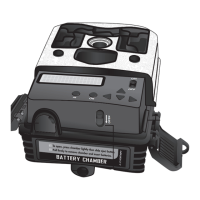
Instructions for opening the compartment, inserting batteries, and securing the release switch.
How to insert the SD card into the slot, ensuring correct orientation and seating.
Details on Quick Set modes (QSET 1, QSET 2) and their parameters.
Guide to customizing camera settings for specific needs.
Specifies the temperature and humidity range for camera operation.
Recommendations for storing, handling, cleaning, and battery usage.
 General
| Brand | Muddy |
|---|---|
| Model | MTC-150 |
| Category | Digital Camera |
| Language | English |

 To Next Page