22
Playback, delete and download
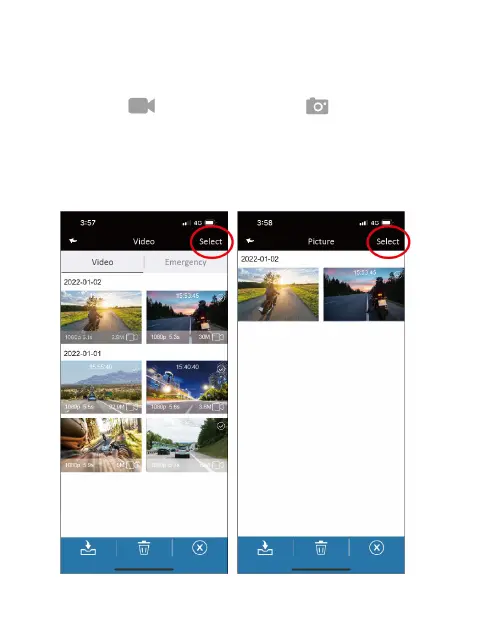
Use this feature to playback or delete the file saved in the Main
Unit, or to download the file from Main Unit to your smartphone.
1. Tap the icon
[Video playback] or [Picture playback]
to enter file playback list. Recording will stop.
2. The files saved in the Main Unit’s microSD card will be listing on
your smartphone. Tap the preview thumbnail to playback.
3. Tap the right top corner “Select” and pick up the files that you
want to delete or download, and tap below icon to execute.


 To Next Page