Need help?
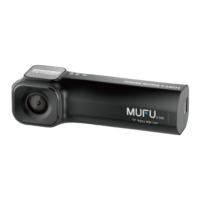
Do you have a question about the MUFU V20S and is the answer not in the manual?
Initial setup and care instructions for the camera.
Guidelines on suitable microSD card types and capacities.
Rules against co-locating or operating with other transmitters.
Proper disposal guidelines for electronic equipment in the EU.
Information on EU directives and health safety distances.
Country/region-specific notices and general safety advice.
List of items included in the product package.
Labeled diagram showing all camera parts and their numbers.
Detailed steps for inserting the memory card correctly.
Explanation of LED indicators for charging and recording status.
Meanings of different beep patterns indicating device status.
Instructions for downloading and installing the companion smartphone app.
Steps for establishing a Wi-Fi connection between camera and smartphone.
Guide on how to attach the camera unit securely to a helmet.
Steps for previewing and adjusting the camera's view angle using the app.
Instructions for applying adhesive and waiting for firm fixing.
How to properly release and remove the camera unit from its mount.
Calibrating the tilt sensor and formatting the microSD card for optimal use.
Explains buckle detection and vibration detection for power management.
Instructions to change the default Wi-Fi password for security.
Overview of the app's main interface and primary controls.
Steps to playback, delete, and download video and photo files.
How to view files saved to the smartphone's album without Wi-Fi.
Adjusting various settings like vibration detection, audio, and recording intervals.
Detailed technical data of the camera, including sensor, resolution, and connectivity.
Information on additional accessories and key product features.
 General
| Brand | MUFU |
|---|---|
| Model | V20S |
| Category | Digital Camera |
| Language | English |


 To Next Page