21
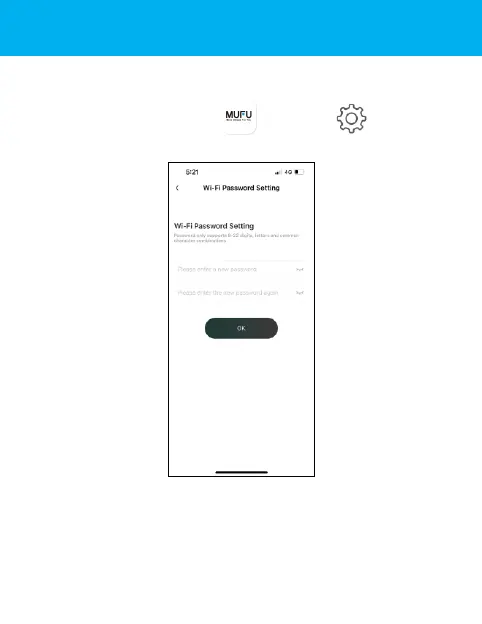
Step 11: Change Password
To change the Wi-Fi password, follow the steps below. If left
unchanged, the default password is 12345678.
Open MUFU Video app , and tap to enter
[Camera Setting], Next, tap [Wi-Fi Password Setting].
→ Enter your new password.
→ Enter your new password again to confirm.
→ Tap “OK”, and screen will show message of “The camera
needs to be reconnected after completion, please confirm the
change?”. Tap “OK”.



 To Next Page