22
→ It will automatically lead to previous page. The screen will
show “Please ignore the network named
MUFU_V20S_xxxxxx in the [Settings-Wi-Fi] option of the
iPhone, and then enter the new password to rejoin.”
→ Close app, and follow by step
to re-connect Wi-Fi.
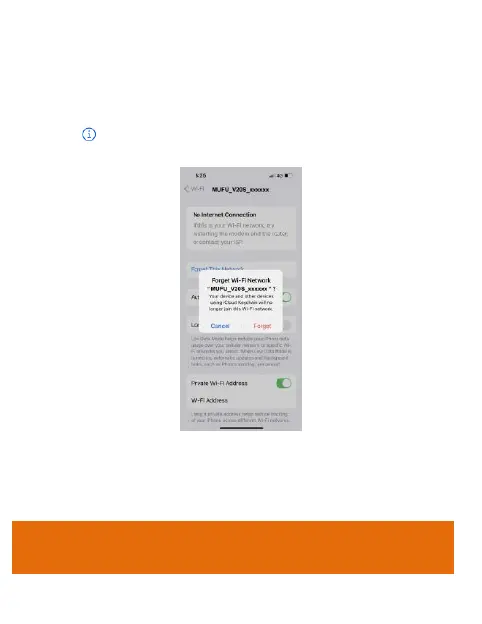
iPhone users: Open the Wi-Fi connection menu and tap
the icon by side of MUFU_V20S_xxxxxx network. Next, tap
“Forget This Network” and confirm your decision.
*Note: Android phone user can skip this step.
Next, tap the V20S network again to re-enter your new
password and reconnect your smartphone to the MUFU
Video.
Note: Be sure to remember your new password. If you
forget your new password, a factory reset will be
necessary.



 To Next Page