Home
MUFU
Digital Camera
V20S
Page 16 (Adjusting Recording Angle)
MUFU V20S - Adjusting Recording Angle
39 pages
Manual
Save Page as PDF
To Next Page
To Next Page
To Previous Page
To Previous Page
Loading...
15
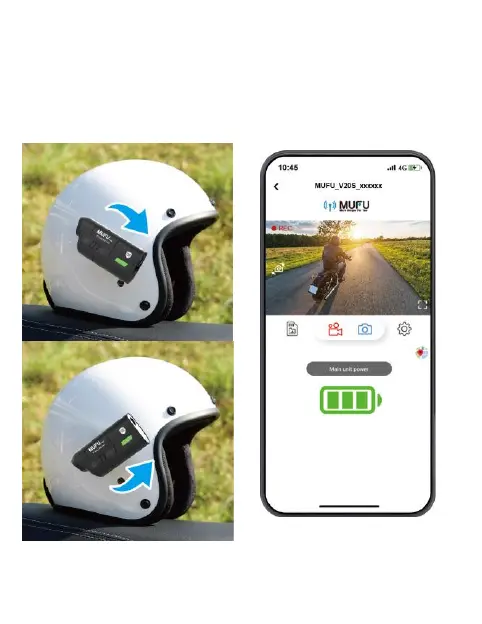
Make sure your phone
is connected wi
th
MUFU_V20S_x
xxxxx via Wi-
Fi
,
an
d open the MUFU
Video
app
to check preview imag
e.
Move up or do
wn, forward
or
backward the moun
t, or shift up
or down the
camera to ob
tain
the best record
ing image angle.
15
17
Table of Contents
Main Page
Step 2: Product Overview
8
Step 3: Insert Microsd Card
9
Step 4: Led Indicator
11
Step 5: Beep Sound
12
Step 6: Download the App
13
Step 7: Wi-Fi Connection
14
Step 8: Main Unit Installation
15
Step 10: Power on and off
20
Step 11: Change Password
22
Step 12: App Operation
24
Specifications
36
Optional Accessories
38
Related product manuals
MUFU V10S
30 pages


 To Next Page
 Loading...