EasyManua.ls Logo

Muller licht 404013 - User Manual

Muller licht 404013
76 pages
Go to English
Print Icon
To Next Page IconTo Next Page
Loading...
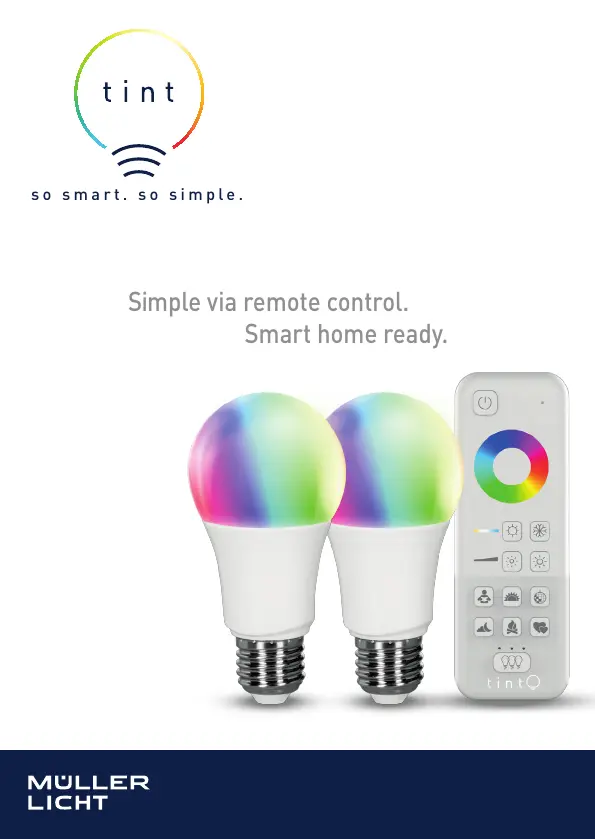
so smart. so simple.
Bedienungs- und Montageanleitung
Starter Set 404 013
Simple via remote control.
Smart home ready.
BEDIENUNGSANLEITUNG ab Seite 2
MODE D‘EMPLOI à partir de la page 26
INSTRUCTION MANUAL from page 50
STARTER SET 404013

Questions and Answers

  • S
    Sarah HarrisAug 13, 2025
    How to fix a Muller licht Lighting Equipment bulb that is not working?
    • R
      Richard KelleyAug 13, 2025
      If your Muller licht Lighting Equipment bulb isn't working, first, ensure the batteries in the tint remote control are not dead by replacing them. Then, check that the bulb is switched on and the mains plug is properly plugged in. Finally, verify you've selected the correct group by pressing the group button until all LEDs above it light up, indicating “All groups” is selected.
  • S
    Sydney Washington DDSAug 17, 2025
    What to do if Muller licht 404013 Lighting Equipment bulbs blink when adding a new one?
    • L
      Lisa AdamsAug 17, 2025
      If you're trying to add a new bulb to your Muller licht Lighting Equipment system but the existing bulbs are blinking, try switching off the bulbs that are already added or removing them from the product that has already been connected.
  • A
    Andrew KhanAug 20, 2025
    Why I cannot add a bulb to my Muller licht 404013?
    • B
      Becky MathisAug 21, 2025
      If you cannot add the bulb to the Muller licht Lighting Equipment, remove it from the existing network. Also, bring it closer to the remote control and switch off any nearby Zigbee devices.
  • C
    Christina TuckerAug 25, 2025
    What to do if the wrong Muller licht 404013 Lighting Equipment bulb lights up?
    • T
      Tina CarrollAug 25, 2025
      If the wrong Muller licht Lighting Equipment bulb lights up, use the group button to select the right group or select “All groups”.
  • C
    Carol WilsonAug 28, 2025
    Why does my new Muller licht 404013 bulb switch off with colored light?
    • R
      reyeskaylaAug 29, 2025
      If a new Muller licht Lighting Equipment bulb switches off when you select a colored light function, it is likely because the bulb can only light up in white. This is not an error.
  • A
    Andrew MooreSep 1, 2025
    Why does my Muller licht 404013 light switch off suddenly?
    • B
      buchanantracySep 1, 2025
      If your Muller licht Lighting Equipment light switches off suddenly, it might be because you have selected the “Sunset” scene. This is not an error.
  • J
    Jay Gordon PhDSep 5, 2025
    Why do I have to press the standby button several times on my Muller licht 404013?
    • D
      David GraySep 5, 2025
      If you have to press the standby button several times on your Muller licht Lighting Equipment, it is not an error. This can happen if the bulb was previously switched off using the light switch, requiring the tint remote control to resynchronize, or if parts of the system were switched off using a light switch, or because the tint remote control is resynchronising.
  • J
    Jared GardnerSep 8, 2025
    How to check which group my Muller licht 404013 bulb is in?
    • K
      kathleen02Sep 8, 2025
      Simply switching the groups on and off again will tell you which group your Muller licht Lighting Equipment bulb is in.

Summary

General Information

Explanation of Symbols

Explains warning, attention, and notice symbols used in the manual.

Safety Instructions

Lists specific safety precautions for the lamp, like avoiding moisture and dimmers.

Proper Use

Details the intended lighting purpose and usage conditions for the starter set.

Safety Notes

Covers safety aspects related to children and general warnings.

Tint Remote Control

Setup

Fitting the Bulbs

Guides on how to insert the bulbs into compatible light fixtures.

Inserting the Batteries

Instructions for correctly placing batteries into the remote control.

Using the Wall Bracket (Optional)

Explains how to utilize the included wall bracket for remote control storage.

Mounting the Wall Bracket

Details the steps for attaching the wall bracket to a surface.

Screwing in the Wall Bracket

Provides methods for securely fixing the wall bracket using screws.

Operation

Basic Functions

Explains how to switch bulbs on/off and set colours/white tone.

Scenes

Describes pre-defined light settings like Working light, Sunset, Party, etc.

Set Brightness

Details how to adjust light brightness using short and long presses.

Cleaning

Smart Home Ready

Troubleshooting

Technical Data

Declaration of Conformity

Dispose

Muller licht 404013 Specifications

General IconGeneral
TypeLED Bulb
Wattage5.5W
Color Temperature2700K
Luminous Flux470 lm
SocketE14
BrandMüller Licht
Model404013
Base TypeE14
DimmableNo
Energy Efficiency ClassA+
Average Life Span15000 hours

Related product manuals