200
www.multilaser.com.br
2. How do I configure the Router to access the Internet by Ethernet users?
1) Log in to the Router, click the “Network” menu on the left of your browser, and click “WAN” submenu. On the WAN page,
select “Dynamic IP” for “WAN Connection Type”, finish by clicking Save.
2) Some ISPs require that you register the MAC Address of your adapter, which is connected to your cable/DSL Modem
during installation. If your ISP requires MAC register, log in to the Router and click the “Network” menu link on the left of
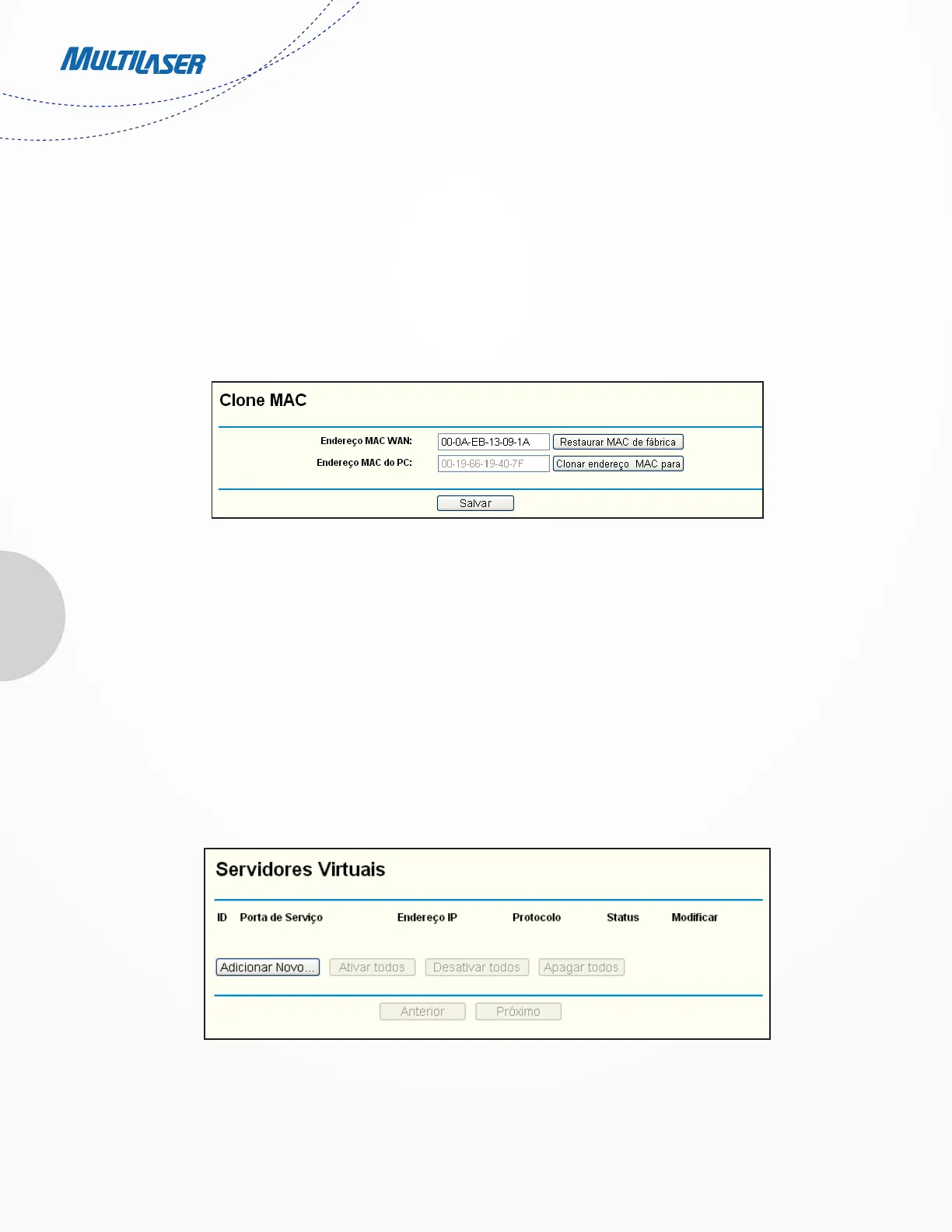
your browser, and then click “MAC Clone” submenu link. On the “MAC Clone” page, if your PC’s MAC address is proper MAC
address, click the Clone MAC Address button and your PC’s MAC address will fill in the “WAN MAC Address” field. Or else,
type the MAC Address into the “WAN MAC Address” field. The format for the MAC Address is XX-XX-XX-XX-XX-XX. Then click
the Save button. It will take effect after rebooting.
3. I want to use NetMeeting, what do I need to do?
1) If you start NetMeeting as a sponsor, you don’t need to do anything with the Router.
2) If you start as a response, you need to configure Virtual Server or DMZ Host and make sure the H323 ALG is enabled.
3) How to configure Virtual Server: Log in to the Router, click the “Forwarding” menu on the left of your browser, and
click “Virtual Servers” submenu. On the “Virtual Servers” page, click Add New…. Then on the “Add or Modify a Virtual
Server Entry” page, enter “1720” for the “Service Port” blank, and your IP address for the “IP Address” blank, taking
192.168.1.169 for an example, remember to Enable and Save.
Figure A-3 MAC Clone
Figure A-4 Virtual Servers


 To Next Page
 Loading...