141
ENGLISH
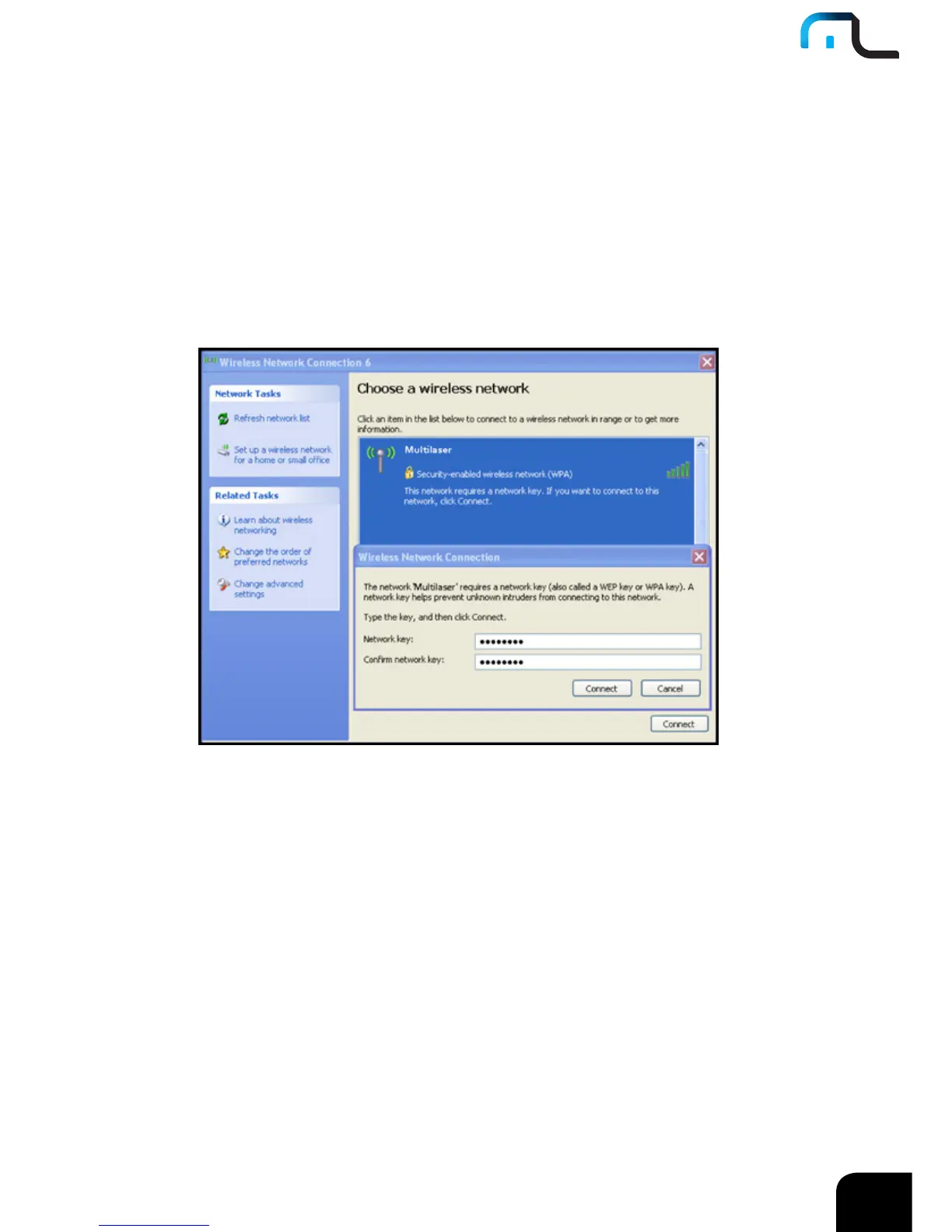
3. On the right of the screen displayed are the currently scanned wireless networks. If
the one you want to connect has not been scanned, click “Refresh Network List” to
update the network list.
4. Select the wireless network you want to connect, and click “Connect” or double
click this wireless network. Input the key in the key dialogue box (the key input is
case-sensitive) then click “Connect”.
NOTE: If the wireless device you are connecting to is not encrypted, the key dialogue box
will not pop up.



 To Next Page