179
ENGLISH
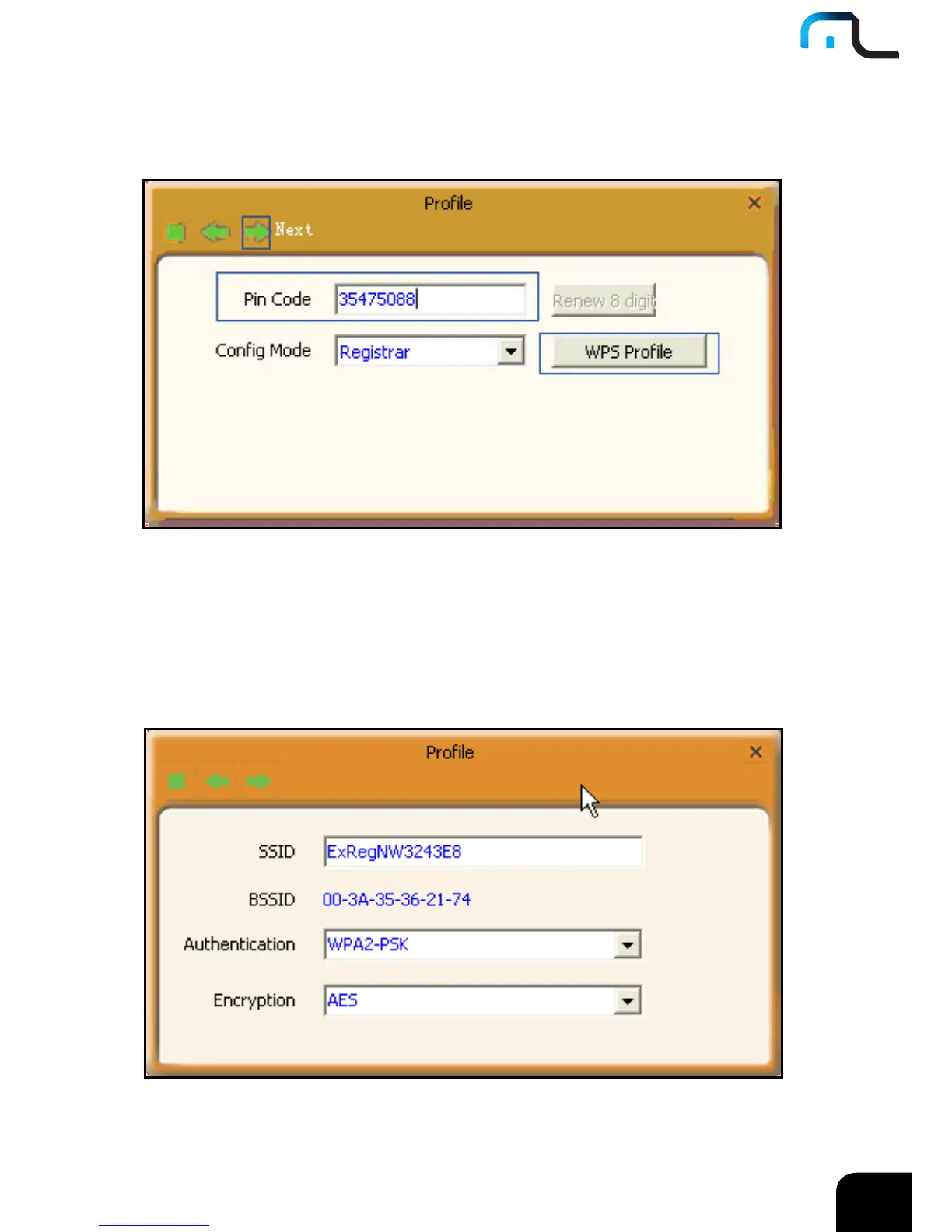
Select “Registrar” as the config mode and enter the router’s PIN code,such as 35475088
that displays on the router’s WPS screen in section 2.1, in the PIN code field here.
Now you can view the SSID ,authenticaiton type,and encrytion type that need to
be negotiated by the WPS in registrar mode.These values can be modified but we
recommend using the default.Here we use the defaut setting and then click the next
buton.



 To Next Page