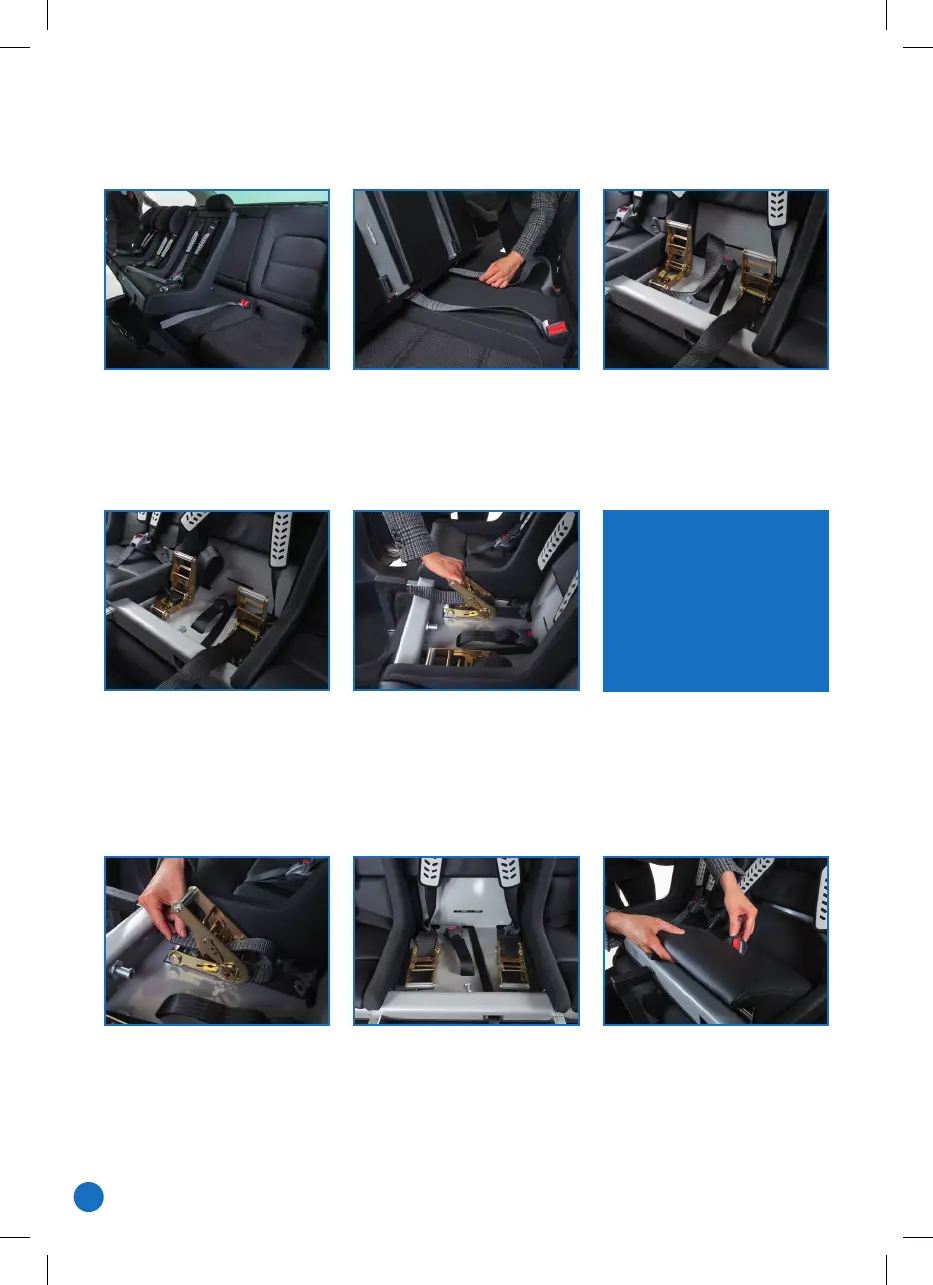
Slide the Mulmac in
making sure it sits central
to the back seat.
Tilt the Mulmac forwards
slightly to insert the tether
straps through the holes
in the back of the chassis.
Ensure the straps are not
twisted. Feed the tethers
through the slot in the spindle.
Slide the legs into their sockets.
Check that the Mulmac is
sll central in the car.
Tighten up both ratchets using the handle, unl it is dicult to
ghten them any further. Tighten them up equally rather than
one before the other, as in some cars this may pull the Mulmac
to one side. Check that the Mulmac feels solidly aached to
the car and cannot be moved.
Push any loose tether strap
back through the ratchet so
it does not hang over the
front of the Mulmac.
Put the seat cushion/s back in place, making sure the
harness is not twisted and comes through the ‘recess’
at each side of the cushion.
PUTTING THE MULTIMAC BACK IN
Check that the legs are
pressed firmly to the floor
and do not rattle.
If they do – slacken off the
tether straps, screw the legs
out a bit longer and
re-tighten the tethers.
8
1368_Multimac_A5_Users Manual 2024_V5.indd 81368_Multimac_A5_Users Manual 2024_V5.indd 8 16/05/2024 15:2216/05/2024 15:22


 To Next Page
 Loading...