
 To Next Page
M
Mr. Mark KimAug 14, 2025
Why won't my MULTIQUIP RX 1510-C engine start?
- RRobert LunaAug 14, 2025
If the MULTIQUIP Floor Machine's engine won't start, the fuel tank might be too low. Check the fuel level and refill if necessary.

Why won't my MULTIQUIP RX 1510-C engine start?
If the MULTIQUIP Floor Machine's engine won't start, the fuel tank might be too low. Check the fuel level and refill if necessary.
What to do if MULTIQUIP Floor Machine runs but does not move?
If the engine of your MULTIQUIP Floor Machine is running but the machine isn't moving, there might not be enough hydraulic oil in the hydraulic oil tank. Check the hydraulic oil level and inspect the hydraulic system for any leaks.
How to fix Err 3 on MULTIQUIP RX 1510-C?
If you're seeing 'Err 3' on your MULTIQUIP Floor Machine, the transmitter and receiver addresses might not match. Check and adjust the addresses between the transmitter and controller, ensuring that the transmitter and receiver addresses are coordinated (0-9).
What does FErr 1 mean on MULTIQUIP RX 1510-C?
If your MULTIQUIP Floor Machine displays 'FErr 1', it means the connection to the machine controller has been physically interrupted, possibly due to a cable break or loose contacts. Check the wiring to the machine controller and replace any defective parts.
What to do if my MULTIQUIP Floor Machine displays FErr 2?
If your MULTIQUIP Floor Machine is showing 'FErr 2', this indicates a cable break. Check the wiring to the machine controller and replace any faulty components.
Why is Err 13 showing on my MULTIQUIP RX 1510-C?
If your MULTIQUIP Floor Machine displays 'Err 13', it means the machine has tilted. Place the machine upright. Also, the controller position might be incorrect or incorrectly installed after a repair, or not fastened for a test. Check the controller for its position and fit, and correct if necessary.
What does Err 21 mean on MULTIQUIP RX 1510-C and how to fix it?
If your MULTIQUIP Floor Machine displays 'Err 21', it means the operator is too close to the machine. Increase the distance between the transmitter (operator) and the machine.
What does Err 1 mean on a MULTIQUIP Floor Machine?
If your MULTIQUIP Floor Machine shows 'Err 1', it means the machine was started with the manual switchbox, so operating the infrared control transmitter isn't possible. This error will disappear as soon as no signals are received via infrared.
What does Err 2 indicate on my MULTIQUIP Floor Machine?
If your MULTIQUIP Floor Machine displays 'Err 2', the machine was started with the infrared transmitter, making it impossible to operate the manual switchbox. This error will disappear as soon as no more signals are received from the manual control.
Identifies the machine model, type, and manufacturer as per the manual's cover page.
Warning regarding diesel engine exhaust and its constituents known to cause cancer, birth defects, and reproductive harm.
Details for identifying the machine, including type, model, series number, and production date.
Contact details for the manufacturer and customer service departments.
Information regarding the document itself, such as title and document number.
Fields to be completed when transferring machine ownership or responsibility.
Diagrams illustrating key identification labels and locations on the machine.
Explains the benefits of using the operating instructions for machine familiarization.
Identifies the intended audience for the operating instructions as machine operators.
Conditions under which the manufacturer disclaims liability and warranty claims.
Outlines the three main document groups: Operating, Spare Parts, and Service instructions.
Lists the topics covered in each chapter of the operating instructions.
Details the font styles and weights used for headings, subheadings, and main text.
Explains the meaning of pictograms used in the manual, such as user information.
Emphasizes keeping the manual with the machine and passing it to future operators.
Lists trademarks and copyright information for the manual.
Provides essential introductory information about the machine.
Details the primary technical specifications of the machine.
Presents the measured noise and vibration levels for the machine.
Describes the different equipment and variations available for the machine.
Illustrates the location of various components and access points on the machine.
Explains the types of safety instructions and their meanings.
Covers the proper use of the machine and product safety aspects.
Identifies hazardous zones on and around the machine.
Covers requirements for personnel, training, and general organizational safety.
Highlights dangers directly related to the machine's operation and maintenance.
Provides a basic introduction to soil compaction principles.
Illustrates the main mechanical components of the machine.
Details the procedures for opening and closing various hoods and hatches on the machine.
Explains the function of the drive unit and the valve block.
Describes the various safety and monitoring systems installed on the machine.
Introduces the electronic display panel and its functions for the operator.
Details all warning lights that illuminate during operation and their meanings.
Describes the six-digit display and its various indications.
Explains the different operating elements available for control methods.
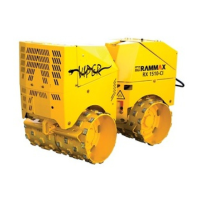
General description of the vibratory trench roller RX 1510-CI.
Details the specific applications for which the vibratory trench roller is designed.
Specifies the exclusive intended use of the machine for compacting loose backfill.
Defines the intended workplace for the machine operator.
Identifies danger areas on the machine, particularly the articulation, and required safety distances.
Prohibits modifications and emphasizes the use of original spare parts for safety.
Declares conformity with EU directives and provides manufacturer details.
Summarizes key technical data and measured noise emission levels.
Identifies the person responsible for document retention.
Presents detailed diagrams with dimensions of the machine.
Illustrates the turning radius of the machine with specific measurements.
Provides detailed dimensions and weights for the RX 1510 model.
Details the engine type, output, rotation speed, cooling, and drive mode.
Lists specifications for the vibration system, including force and frequency.
Provides data on speed, steering angle, and inclination angle.
Specifies operating fluids and includes gradeability and turn radius data.
States the sound pressure and sound power levels measured for the machine.
Illustrates the operating units for different machine types (cable, infrared, combined).
Diagram showing the location of hoods and hatches for accessing machine parts.
General overview and importance of safety instructions for machine operation.
Describes DANGER, WARNING, and CAUTION signals and their associated meanings.
Defines NOTE for property damage and ENVIRONMENT for pollution risks.
Explains how safety instructions relevant to specific chapters are highlighted.
Details the imperative instructions and prohibition symbols used in the manual.
Lists prohibited actions using symbols, such as driving diagonally on slopes or transporting persons.
Explains warning signs related to danger, tilting, gradients, crushing, and rotating parts.
Illustrates and explains danger symbols for electricity, chemical burns, fire, and explosion.
Details hazards like being run over, overturning, pressurized liquids, and rotating belts.
Covers dangers from flying parts and inhalation of toxic gases or vapors.
Shows symbols and instructions for waste oil and battery disposal.
Identifies hazardous zones and lists essential safety equipment.
Instructs users on ensuring safety labels are readable and replacing damaged ones.
Mandates the use of hearing protection, indicated by a symbol on the machine.
Details specific dangers encountered during machine operation.
Outlines dangers associated with performing maintenance on the machine.
Warns about dangers from unapproved accessories and cleaning agents.
Provides guidance on emergency equipment and actions in case of power line contact.
Provides a basic introduction to soil compaction principles.
Illustrates the main mechanical components of the machine.
Details the procedures for opening and closing various hoods and hatches on the machine.
Instructions for safely unlocking and opening the radiator cap when the engine is cool.
Diagrams showing the main components of the machine.
Explains the function of the drive unit and the valve block.
Details the function and operation of the shutdown yoke safety feature.
Explains the low distance shutdown feature for infrared control.
Explains the far distance shutdown feature for infrared control.
Describes the inclination indicator that automatically switches off the engine when tilted.
Explains the automatic shutdown triggered by generator failure.
Details the automatic shutdown due to low oil pressure.
Explains the automatic shutdown when the cooling water temperature exceeds the limit.
Describes the automatic speed adjustment function for idling and regulating speed.
Explains the function and use of the transport protection during loading and transport.
Introduces the electronic display panel and its functions for the operator.
Details all warning lights that illuminate during operation and their meanings.
Describes the six-digit display and its various indications.
Explains the meaning of display codes like F, I, H, Err, and the operating hour meter.
Describes the manual control device used for cable control of the machine.
Lists and explains the function codes for operating the machine via cable control.
Details the cockpit display information and codes for cable control operations.
Lists display codes for various driving functions and their executed actions.
Lists display codes for vibration functions and their executed actions.
Explains the operation and features of the infrared transmitter for machine control.
Lists and explains the function codes for operating the machine via infrared control.
Details the cockpit display information and codes for infrared control operations.
Lists display codes for infrared vibration functions and their executed actions.
Safety guidelines for operating personnel, including age and sobriety requirements.
Lists essential checks to perform before starting the machine daily or before long work periods.
Step-by-step guide for refilling hydraulic oil.
Procedure for checking the engine oil level using the dipstick.
Instructions for checking the cooling water level at the radiator and compensating tank.
Procedure for checking and cleaning or replacing the air filter.
Instructions for checking the fuel level and the refuelling procedure.
Instructions for adjusting the transmitter address for infrared control.
Steps to set the transmitter address on the machine controller for infrared operation.
Steps to set the transmitter address on the infrared control unit.
Procedure for switching the ignition on, including display tests and warning lights.
Description of the machine's standby mode and how to start it.
Step-by-step guide to starting the machine using the ignition lock.
Procedure for starting the machine using the manual control device.
Procedure for starting the machine using the infrared control.
Procedure for switching the machine off using the ignition lock.
Procedure for switching the machine off using the manual control device.
Procedure for switching the machine off using the infrared control device.
General safety instructions for operating the machine.
Checklist of items to verify before operating the machine.
Instructions and safety precautions for using the vibration function.
Steps for performing compaction work, including vibration control.
Steps for parking and securing the machine against unauthorized use.
Safety guidelines for personnel involved in loading and transporting the machine.
Step-by-step instructions for applying and securing the transport protection.
Instructions for loading the machine by driving it over a ramp.
Instructions for loading the machine using hoisting gear, including safety warnings.
Detailed steps for securing the machine on a transport vehicle.
General safety precautions for performing maintenance work on the machine.
Safety instructions for working on the battery, including acid handling.
Safety guidelines for working on the fuel system, emphasizing fire prevention.
Safety instructions for cleaning the machine, avoiding engine running and flammable materials.
Checks to perform after completing maintenance work, such as replacing protective devices.
Guidelines for repair work, including attaching warning signs and using qualified personnel.
Instructions for safely exchanging drums, including using appropriate hoisting gear.
Safety precautions and procedures for working on the hydraulic system.
Guidance on checking hydraulic lines, identifying wear, and replacement criteria.
Lists maintenance tasks to be performed daily.
Maintenance tasks required after 25 hours of operation.
Maintenance tasks required after 75 hours of operation.
Maintenance tasks required every 100 operating hours.
Maintenance tasks required every 200 operating hours.
Maintenance tasks required every 500 operating hours.
Maintenance tasks required every 1000 operating hours.
Maintenance tasks that are required based on specific conditions.
Step-by-step guide to checking the engine oil level using the dipstick.
Procedure for exchanging engine oil and the oil filter, including safety warnings.
Environmental advice for handling leaking lubricating oils and used oil filters.
Procedure for checking and cleaning or replacing the air filter.
Instructions for changing the fuel filter, including safety warnings.
Procedure for draining the fuel tank, including safety warnings.
Instructions for checking the hydraulic oil level using the sight glass.
Safety warnings regarding pressurized hoses and hot hydraulic oil.
Environmental advice for handling leaking hydraulic oils and used filters.
Instructions for checking the cooling water level and refilling the system.
Procedure for draining and refilling the cooling water system.
Step-by-step instructions for safely exchanging the machine's drums.
Instructions for adjusting the stripper to maintain the correct distance to the drum.
Guidance on servicing the battery, including checking water levels and cleaning terminals.
Instructions for checking battery water level and refilling with distilled water.
Table providing tightening torques for bolts with standard metric thread.
A table listing common faults, their possible causes, and recommended remedies.
Explains error codes, their meanings, possible causes, and troubleshooting steps.
Details the meaning and troubleshooting for error code 22 related to safety opening.
Provides contact details for obtaining technical assistance and support.
 General
| Brand | MULTIQUIP |
|---|---|
| Model | RX 1510-C |
| Category | Floor Machine |
| Language | English |