ENT
ENT
www.multispanindia.com
Page - 2
9 9
J - T Y
J - T y
Press key to enter in menu
Press key to go to next parameter
(J,K & RTD)
Press key to go to next channel
Press key to go to next channel
Press key to go to next parameter
(Repeat the same procedure for all 8 channels)
(Repeat the same procedure for all 8 channels)
Press key to go to next parameter
s C N
C H 1
C H 8
Display shows scan time use & key to change it.
Display shows sensor type. Use & key to change it.
Display shows sensor type. Use & key to change it.
C H1
C H 8
D P
Channel Skip or Unskip using & Key
Channel Skip or Unskip using & Key
Decimal Point Using & Key (Yes/No)
u n S
u n S
Y E S
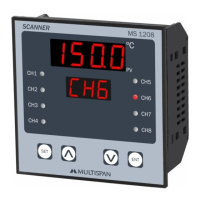
MS 1208
Basic Configuration
SET
Press key to change offset
Press key to go to next channel
Press key to go to next parameter
(Offset Value: ± 25°C)
(Repeat the same procedure for all 8 channels)
S E T
O F 1
O F 8
Press & key to change offset
O F S T
O 0 0 0
O 0 0 0
Display shows offset value Use & key to change it.
OFFSET Setting
Press set key to save & exit if no key is pressed, will auto exit after 10 sec.
Press key to save & exit
Press key to save & exit
Note:
Key Operation
ENT
SET
SET
SET
SET
SET
SET
SET
SET
SET
2) Press & Key to change the parameter setting.
3) Press + Key to set offset.
4) Press & hold key to enter in scroll & hold mode.
1) Press key to enter in menu.
h
h


 To Next Page