MCSI Setup for Connection to a Serial-to-Ethernet Device
Multi-Tech Systems, Inc. MCSI and Serial-to-Ethernet Device Setup Example – A Reference Guide 6
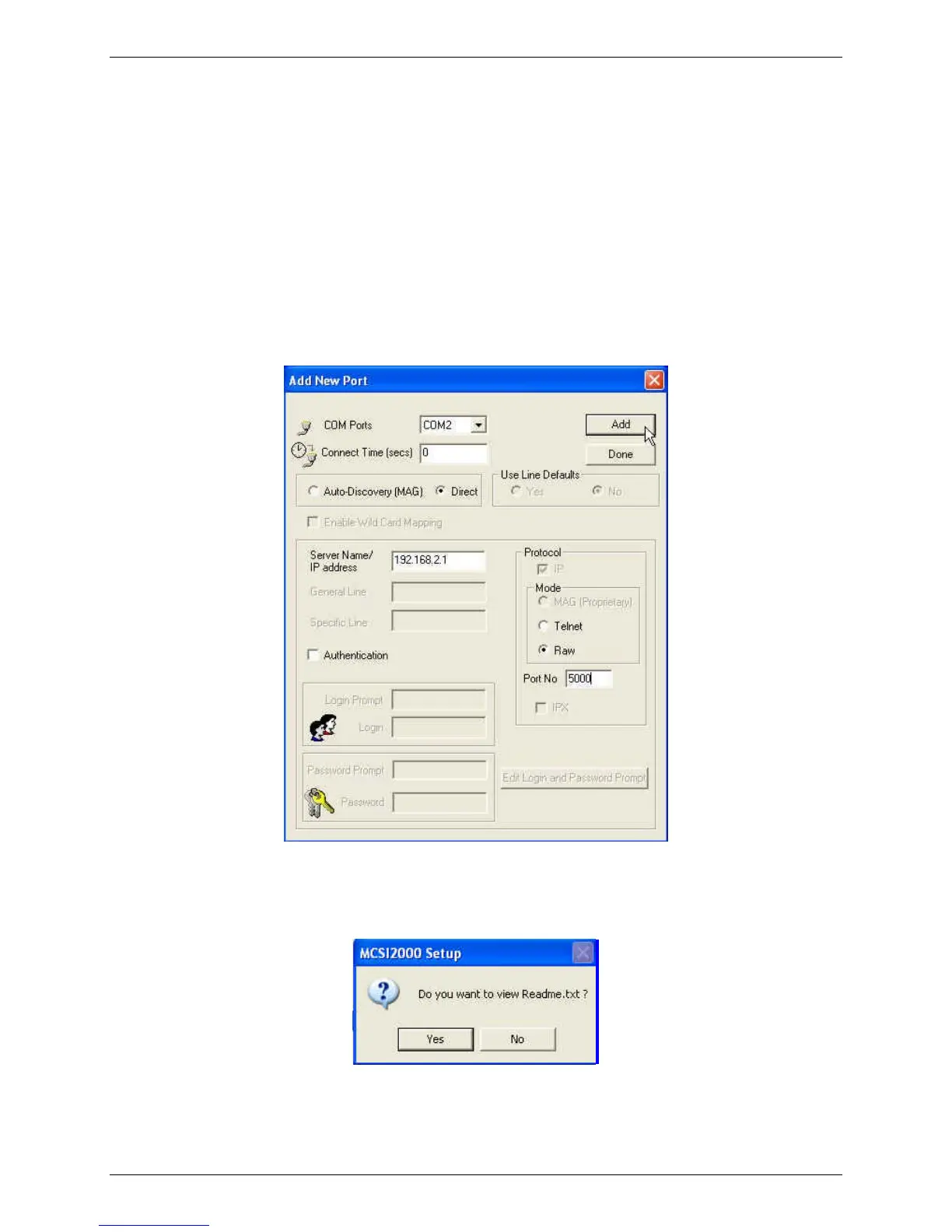
5. Add a New Port
• On this screen, the first available COM port displays in the drop down list box (ex.
COM2).
• Select Direct for this COM port.
• Then enter the Server Name/IP Address of the MTS2EA device (default is
192.168.2.1).
• For Mode, select Raw.
• For the Port No, enter 5000 (the port number must match the port number entered for
the MTS2EA device).
• Click the Add button to add the COM Port.
• Then click the Done button. Note that the MCSI software will allow you to continue
creating new COM Ports until you click the Done button.
6. You will be prompted to view the Readme.txt. Click Yes to read it, or click No to skip it.



 To Next Page