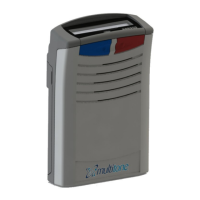
MUTE ALERT MODE
Your pager can receive calls and alert you discreetly
(without audible beep) when in mute alert mode. To
change to mute alert mode press and hold the mute
button until two pips are heard. If your pager is fitted
with a display it will show “Mute” to confirm this change.
Release the mute button. To return to normal alert
mode press and hold the mute button until you hear
two pips followed by a single pip and the display has
changed from “Mute” to “On”.
DISPLAY REVERSAL
The direction of messages displayed can be reversed
for correct viewing from the wearing position
(top pocket or belt). To achieve this, press the mute
button during the display of a message during memory
recall.
(Not applicable to 530T variants)


 To Next Page