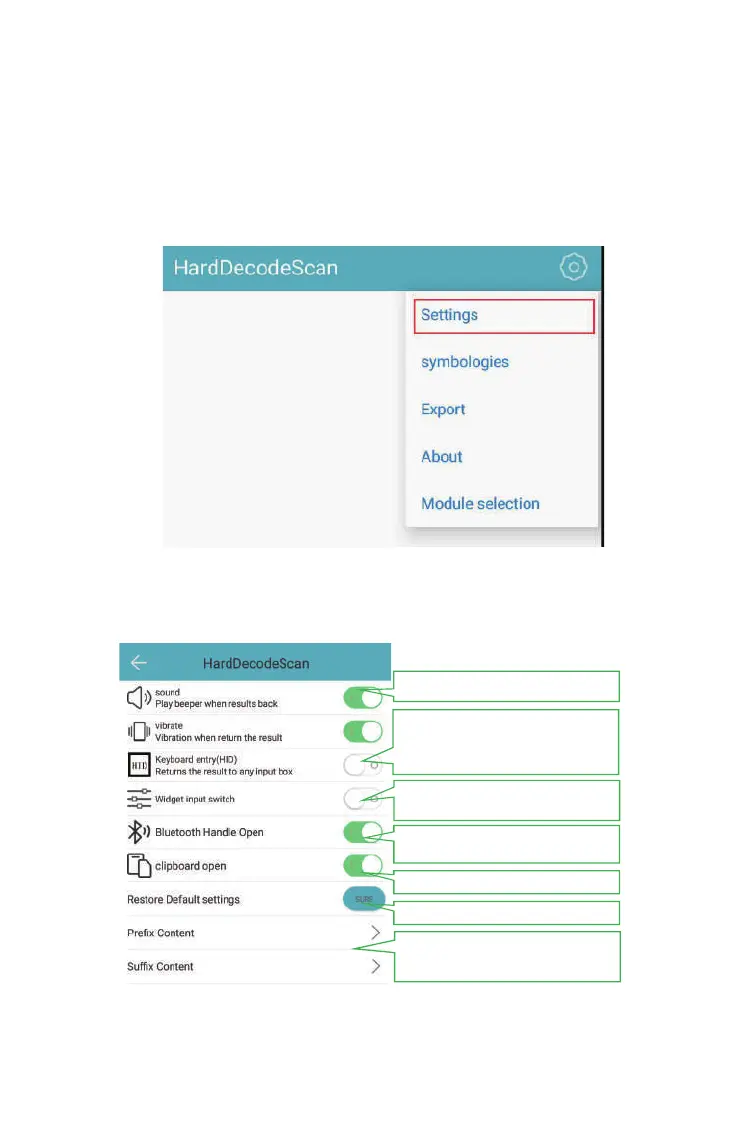
4.1.2 Settings
You can set up the scan sound, prefix and suffix etc. in the settings
12
Set Scanning Feedback Method
(*if disable HID,the scan result
will output to scanner module
COM port)
Enable one-time output Disable:
character-by-character
(*Need to be used with
additionall Bluetooth Holder)
Restore to factory default
Copy to clipboard
Add Specified character
for Prefix/Suffix



 To Next Page