Page7of18
ITPP047 Easy Setup Guide
Version 1.00
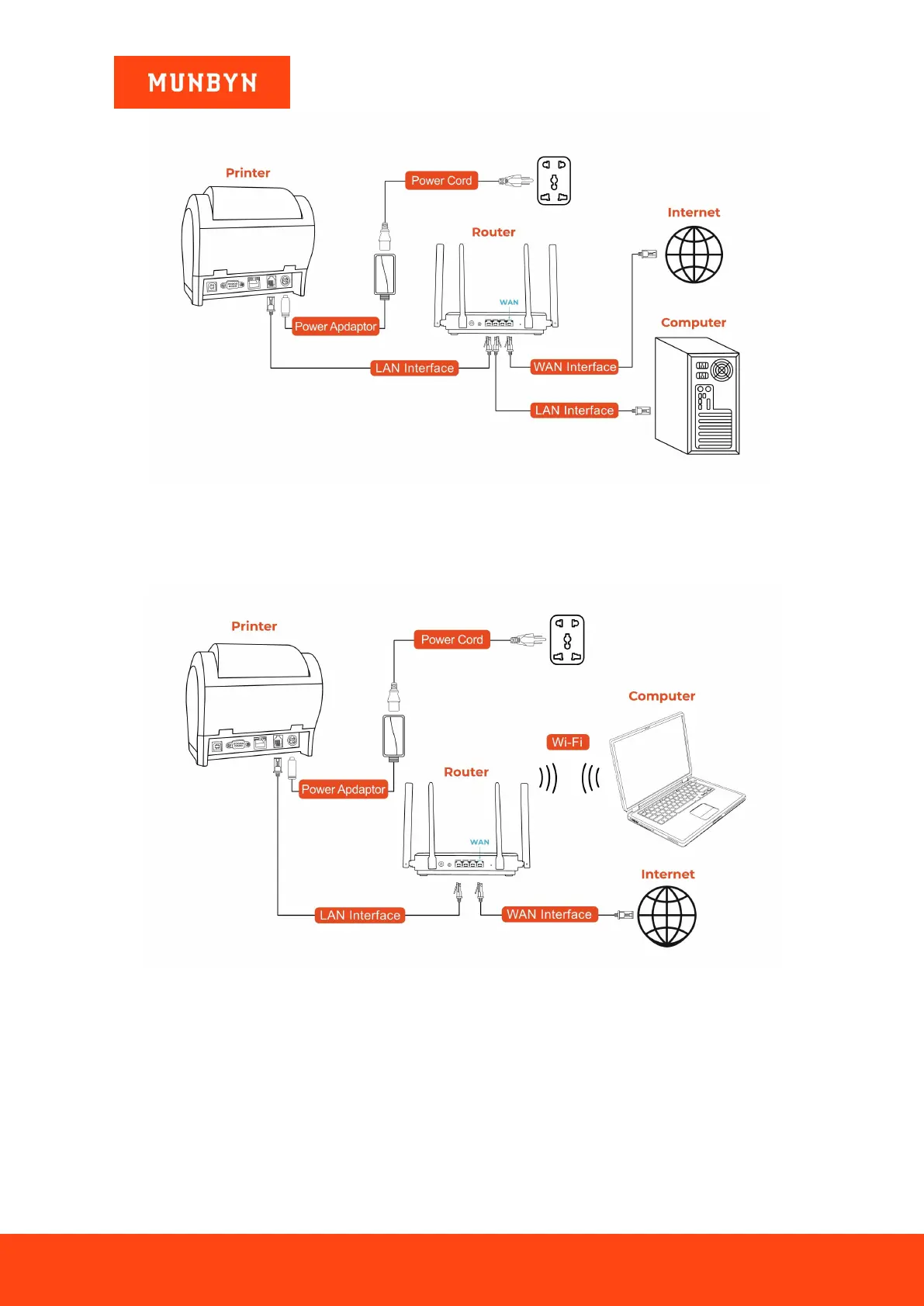
Figure 1- 2
Connection Diagram
Open the downloaded driver and install it, then follow the demo video to configure the LAN.
2) Connect the printer to the router with a network cable. Please see the below picture.
Figure 1- 3 Connection Diagram
Open the downloaded driver and install it, then follow the demo video to configure the LAN.
Demo video: http://u.pc.cd/rmD



 To Next Page