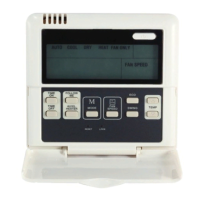
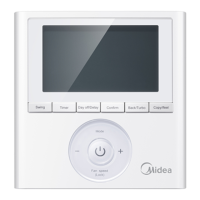
Ok button:
The button is used at the state of CLOCK
adjustment. After select the time, push
the button to confirm then exit, the current
clock will display
Reset button(hidden):
Use a small stick with a diameter of 1mm
to push the RESET button to cancel the
current settings and get into the condition
of resetting.
ON/OFF button:
Push the button at the condition of OFF,
the OPERATION lamp lights, ans the wire
controller enters into ON operation,
simultaneously sends the information of
operation mode set currently,
temperature, fan speed, timer etc. Push
the button at the conditionof ON, the
OPERATION lamp extinguishes,
simu-ltaneously sends the OFF. If
having set TIMER ON or TIMER OFF,
the wire controller will cancel these
settings before entering into OFF, close
the concern indicator, and then send the
OFF information.
Fan speed selection button (FAN
SPEED)
Select any one fan speed from "AUTO",
"LOW"," MED" , and "HIGH”. Each time
push the button, the fan speed will
change in turn as fellow.
Adjust button :
Set indoor temperature up. If press
and hold on, it will increase at 1 degree
per 0.5 second.
Adjust button :
Set indoor temperature down . if press
per 0.5 second.
Swing button:
Push this button for the first time when
operation,it will start the swing function.
Push the button for the second time,
cancel the swing function. (The function
is available matched with the concerned
unit)
Economical button:
Push the button to set the economical
operation mode for air conditioner, push
again then cancel the mode. The opera
tion mode is suitable for sleeping time.
Cool only/cooling and heating selec
tion button (hidden):
Use a small stick with a diameter of 1mm
to push the button to switch modes.For
COOLING ONLY type, it will be no
heating mode when pressing MODE.
The uniform mode is COOLING and
HEATING at the factory.
Lock button (hidden):
Use a small stick with the diameter of
1mm to push the LOCK button to lock
the current setting, push the button
again then cancel the setting.
5
6
7
8
9
10
11
12
13
14


 To Next Page
 Loading...