12 Troubleshooting
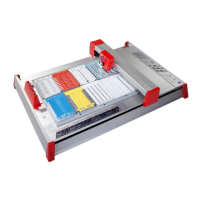
If your mp-PM A3 plotter is not functioning correctly, please check the
following:
Device fails to
switch on.
Check whether the mains plug and
connecting plug are plugged in correctly.
Plotter does not
respond to data
download from
PC.
Is the interface cable connected
properly?
Replace the data cable if necessary.
Is the device driver installed properly and
configured correctly in the ACS software?
No labelling is
taking place even
though a plotter
pen has been
inserted.
Check whether the plotter pen has dried
out or if there is sufficient ink in the pen.
Refill or replace the pen if necessary.
Poor labelling
quality, uneven
line thickness,
missing items.
The plotter pen tip may be spoiled. Clean
the tip carefully using a lint-free cloth
dipped in special cleaning fluid.
Replace the plotter pen if necessary.
Technical Support
+49 (0) 7191/482-2222
acs.helpdesk@murrplastik.de


 To Next Page