EN - 1 EN - 2
BLUETOOTH SPEAKER WITH DAB+/FM RADIO, CD AND USB PORTGB
POWER SUPPLY
TURNING UNIT ON/OFF
NOTES:
- Never recharge the batteries, apply heat to them or take them apart.
- If the remote control is not going to be used for a long time, remove the battery to avoid damage caused by battery leakage corrosion.
- Attention should be drawn to the environmental aspects of battery disposal.
- Do not throw batteries in re!
- Battery shall not be exposed to excessive heat such as sunshine, re or the like.
CAUTION: Danger of explosion if battery is incorrectly replaced. Replace only with the same or equivalent type.
Before throwing any batteries away, consult your distributor who may be able to take them back for specic recycling.
This set operates on AC 100-240V 50/60Hz.
Connect the power cord to a convenient AC wall outlet.
Note: In a concern of saving energy, when playback has reached to the end or listening volume is set at a very low level and no control is
operated on the device for a period of 15 minutes, the unit will automatically switch to Standby mode.
1. Press button to turn on the unit.
2. Long press button on unit or press button on remote control to turn o the unit.
UNPACK THE UNIT
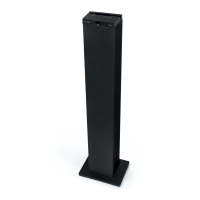
When you unpack your new tower, make sure that you have removed all the accessories and information
papers:
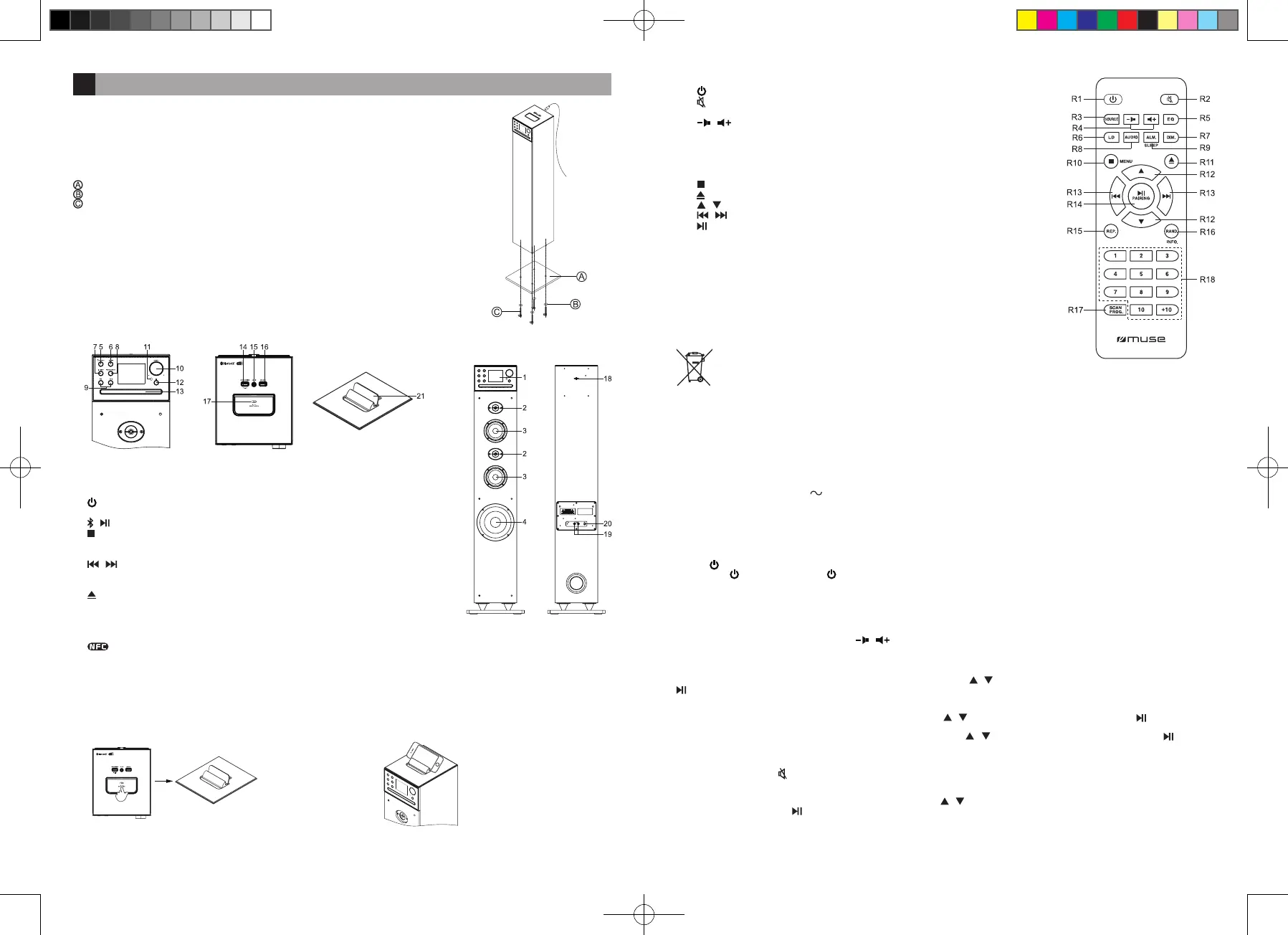
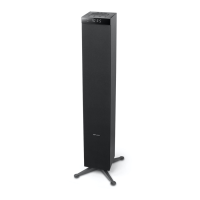
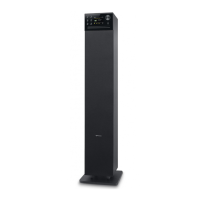
- Tower speaker
- Remote control
- Aux in cable
- 75 Ohm antenna cable
- Installation accessories
. Wooden base
. Washer x4
. Assembly screw x4
If you want to use your Bluetooth speaker, assembled the wooden base to the main body by the supplied
screws and washers rst. Insert the 75 Ohm antenna cable to external aerial socket.
1. TFT display
2. Tweeters
3. Main speakers
4. Subwoofer
5. / SOURCE: To turn unit on/o; To select function mode: DAB+, FM, Bluetooth, Disc, USB, AUX
or RCA
6. / : Bluetooth pairing function; Play/ Pause
7. / MENU: Stop playback; To access the setting menu; Return to previous step; To review the
information transmitted by the radio station
8. PRESET/SCAN: Preset radio station; auto scan the station
9. , : Skip/ Search/ Tuning
10. SELECT +/-: To adjust volume; setting up/ down; To conrm the selection/ settings
11. Remote sensor
12. : To open / close the disc tray; Stereo pairing function.
13. CD compartment
14. USB port for charging
15. AUX IN jack (3.5mm)
16. USB port for MP3 playback
17. NFC Tag
18. External aerial socket
19. AUDIO IN L/R RCA jacks
20. AC Power Cord
21. Cradle for tablet or Smartphone
REMOTE CONTROL
R1. : To turn unit on/o
R2. : To mute or restore sound
R3. SOURCE: To select DAB+, FM, Bluetooth, Disc, USB, AUX or RCA mode.
R4. / : To adjust volume
R5. EQ button: To select desired sound eects: Default/ Rock/ Classic/ Jazz / Pop
R6. LD button: Loudness On/O
R7. DIM. button: To set the time out of display backlight and adjust the brightness level of display.
R8. AUDIO button: To set the value of Bass/ Treble mode.
R9. ALM./ SLEEP button: To set the alarm time from alarm menu; To select sleep time.
R10. / MENU: Stop playback; To access the setting menu; Return to previous step.
R11. button: To open/ close the disc tray; Stereo pairing function.
R12. / : Select up/ down; Folder up/ down
R13. , : Skip/ Search/ Tuning
R14. / PAIRING: Play/ Pause; Bluetooth pairing function
R15. REP. button: To repeat playback
R16. RAND./ INFO. button: To turn on/ o random play function; To review the information transmitted
by the radio station
R17. SCAN/ PROG.: Preset radio station; auto scan the station; To program playback sequences
R18. 1-10, +10 buttons: Number entry
INSTALLING BATTERY
Insert 2 “AAA/ UM4” batteries to the remote control prior to use. Make sure to match their polarities
(+/-) to the markings inside the compartment.
SELECTING FUNCTION
ADJUSTING VOLUME
AUDIO CONTROLS
When the unit is on, repeatedly press SOURCE button to select desired mode: DAB+, FM, Bluetooth, Disc, USB, AUX or RCA.
Rotate the SELECT +/- button on unit or press / on remote control to adjust the volume level.
LOUDNESS
Press LD button on remote control to enter into loudness setting mode. Press / on remote control to select loudness mode ON/OFF. Press
on remote control to conrm.
BASS/ TREBLE
Press AUDIO button on remote control to set the value of Bass. Press / on remote control to adjust the value. Press on remote control
to conrm.
When the Bass value have set, Treble digital will blink automatically. Press / on remote control to adjust the value. Press on remote
control to conrm.
MUTING THE SOUND
When the unit is on, press button to mute the sound. Press again to restore.
EQ
Press EQ button on remote control enter into EQ setting mode, press / on remote control to select dierent sound eects (Default / Rock/
Classic/ Jazz/ Pop) and press on remote control to conrm.
LOCATION OF CONTROLS
2. Place your tablet or smartphone on the cradle.1. Push to lift up the cradle cover.
CRADLE FOR TABLET OR SMARTPHONE
ST-3640DA IB MUSE 001 REV1.indd 6 2020/1/8 17:35:29


 To Next Page