Loading and Cutting a .PLT File from the USB Drive
1.10.8
Insert the USB ash drive into your Muse cutter’s USB Flash Drive Port (see FIG. 1.5.4).
On the Main Screen, press the SPD/FOR button and change the FORCE and SPEED settings if you did not
elect to send them within the .PLT le (refer to Section 2.02.1). Perform a test cut, if needed.
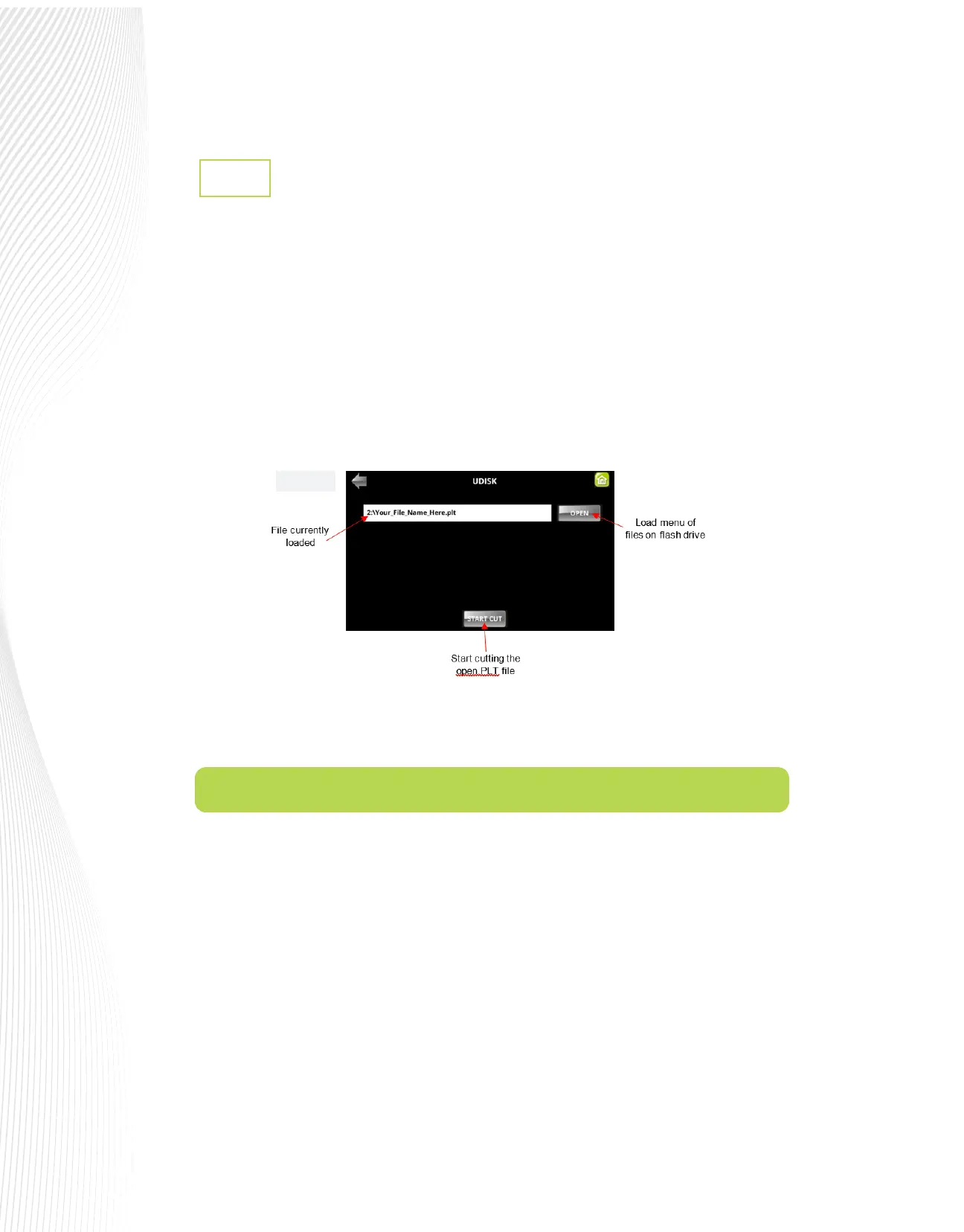
Press the UDISK icon on the Main Screen. Press OPEN to access the les on the USB ash drive. The Muse
will browse the contents of the installed USB thumb drive and display all readable .PLT les (Note: If there
are folders on the drive, you may have to use the touch screen to open the correct folder to nd the saved
.PLT le).
Locate the le you wish to cut and double tap it. The le will then be loaded into the U DISK PORT FILES
screen:
Press START CUT to cut the .PLT le. Note that if you want to cut repeats refer to the Array function covered
in Section 10.8.4.
1.11 Maintenance
All Muse cutters are made with high-quality internal lubrication to protect all mechanical components.
Therefore, there is no need to oil or lubricate any of the components, ever! Daily care consists of cleaning the
platen and blade holder to prevent buildup of dust and material debris. Dusting the platen with a soft brush
will get the job done perfectly. Debris inside the blade holder can be removed using a can of compressed air
and a nozzle. Also, make sure the pinch rollers and grit rollers are kept clean and free of any stickiness.
Fig. 1.10.16


 To Next Page
 Loading...
