Arrows: The left-right arrows move the tool carriage while the up-down arrows move the grit rollers.
This allows you to start cutting anywhere on the media (i.e. set an origin).
Double Arrow: The double arrow button controls the speed of the tool carriage and grit rollers while
setting a new origin. The default setting is the faster mode. Pressing this button once will change the
color of the button from blue to red, which indicates the slower mode. This mode can be used for very
precise movement.
Setting Menu
1.8.1
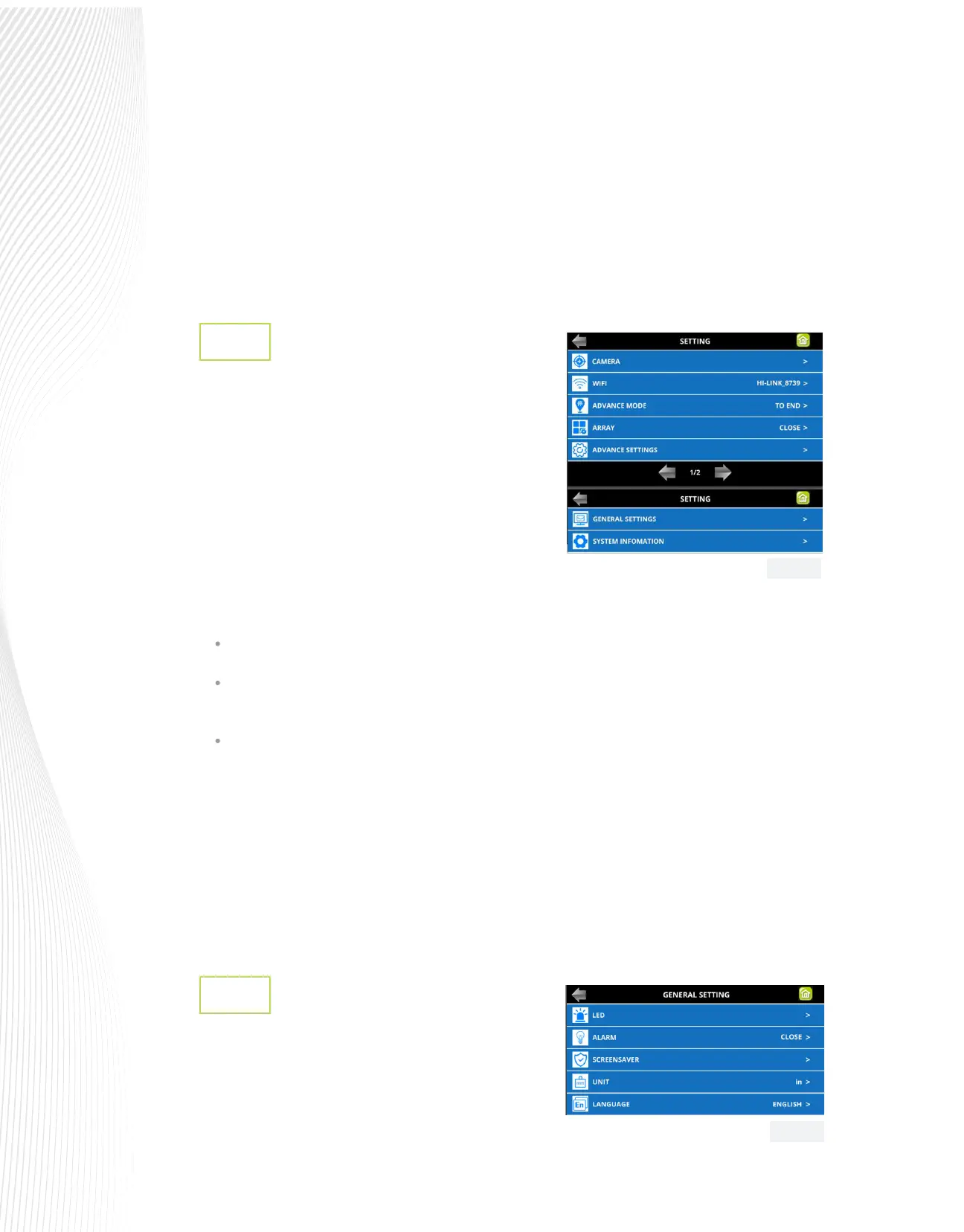
The Setting menu provides access to seven additional
screens on two dierent pages:
These various functions and settings are:v
TO START: return the blade holder to the origin (the location immediately before the cut was started
TO END: advance the blade holder to the top of the completed cut with the option to move an additional
distance
To LEFT: advance the blade holder to the left of the completed cut with the option to move an additional
distance
ARRAY: Set up rows and columns of repeats with desired spacing (refer to Section 1.8.4)
ADVANCE SETTINGS: Refer to Section 1.8.3.
GENERAL SETTINGS: Refer to Section 1.8.2.
SYSTEM INFORMATION: Hardware and rmware versions, Baud rate, and other settings that should need no
adjustment unless directed by a SignWarehouse technical representative.
General Settings
1.8.2
Press SET on the Muse control panel and select GENERAL
SETTINGS. The optional settings are:
CAMERA: Opens the CAMERA SETTINGS menu.
Refer to Section 3.00.
WIFI: Connect the MUSE to your home or oce router for
wireless connectivity (refer to Sections 1.10.4 and 1.10.5).
ADVANCE MODE: Three options for where the blade holder goes at the end of a cut:
Fig. 1.8.2
Fig. 1.8.3


 To Next Page
 Loading...
