Parallelizer Owner’s Manual
5
5. Set Group of Control Change numbers.
1. Apply power while holding down FX1 and FX3 switches. The FX1 and FX3 LEDs will flash.
At this moment, the two switches can be released.
2. The four LEDs display the current group of Control Change numbers.
3. Press Switches FX1, FX2, FX3 and Dry according to this table.
MIDI Control Change Numbers FX1 LED FX2 LED FX3 LED DRY LED
FX1:88 FX2:89 FX3:90 DRY:91
(Factory Default)
ON OFF OFF OFF
FX1:92 FX2:93 FX3:94 DRY:95 OFF ON OFF OFF
FX1:96 FX2:97 FX3:98 DRY:99 OFF OFF ON OFF
FX1:100 FX2:101 FX3:102 DRY:103 OFF OFF OFF ON
4. Press and hold the DRY switch to save new group of Control Change numbers into the memory.
The Parallelizer will restart automatically.
6. Factory Reset
1. Apply power while holding down FX1, FX2 and FX3 switches. The FX1, FX2 and FX3 LEDs will flash and the
only DRY LED will be on. At this moment, the three switches can be released.
2. Press the DRY switch to execute Factory Reset.
3. When the Factory Reset is successful, the LEDs will turn on sequentially and the Parallelizer will restart automatically.
7. Power Check Function
The Parallelizer must be supplied with a 9VDC power source.
For this reason, the Parallelizer has a function to show whether the supplied power is a 9VDC, higher voltage power
or lower voltage power.
The FX1 LED will flash if the power is under 8.5V.
The FX3 LED will flash if the power is over 10V.
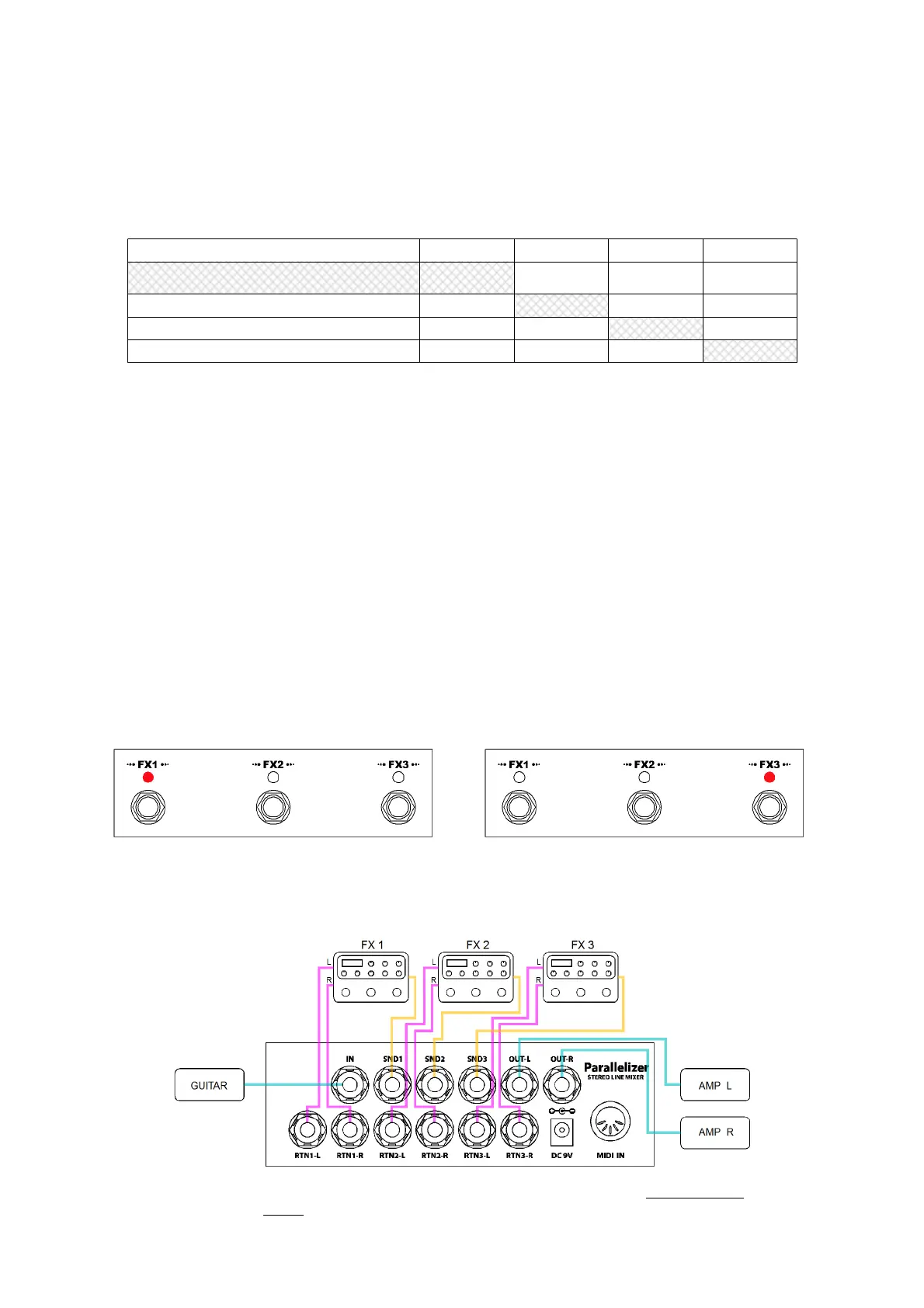
8. Basic Connection
Note : To prevent the volume boost due to overlay of dry signal, set your FXs to 100% wet signal or
enable the kill-dry function.



 To Next Page