En 7
Modes
Connected to PC(Mass Storage Mode/PC Camera Mode)
Mass Storage Mode
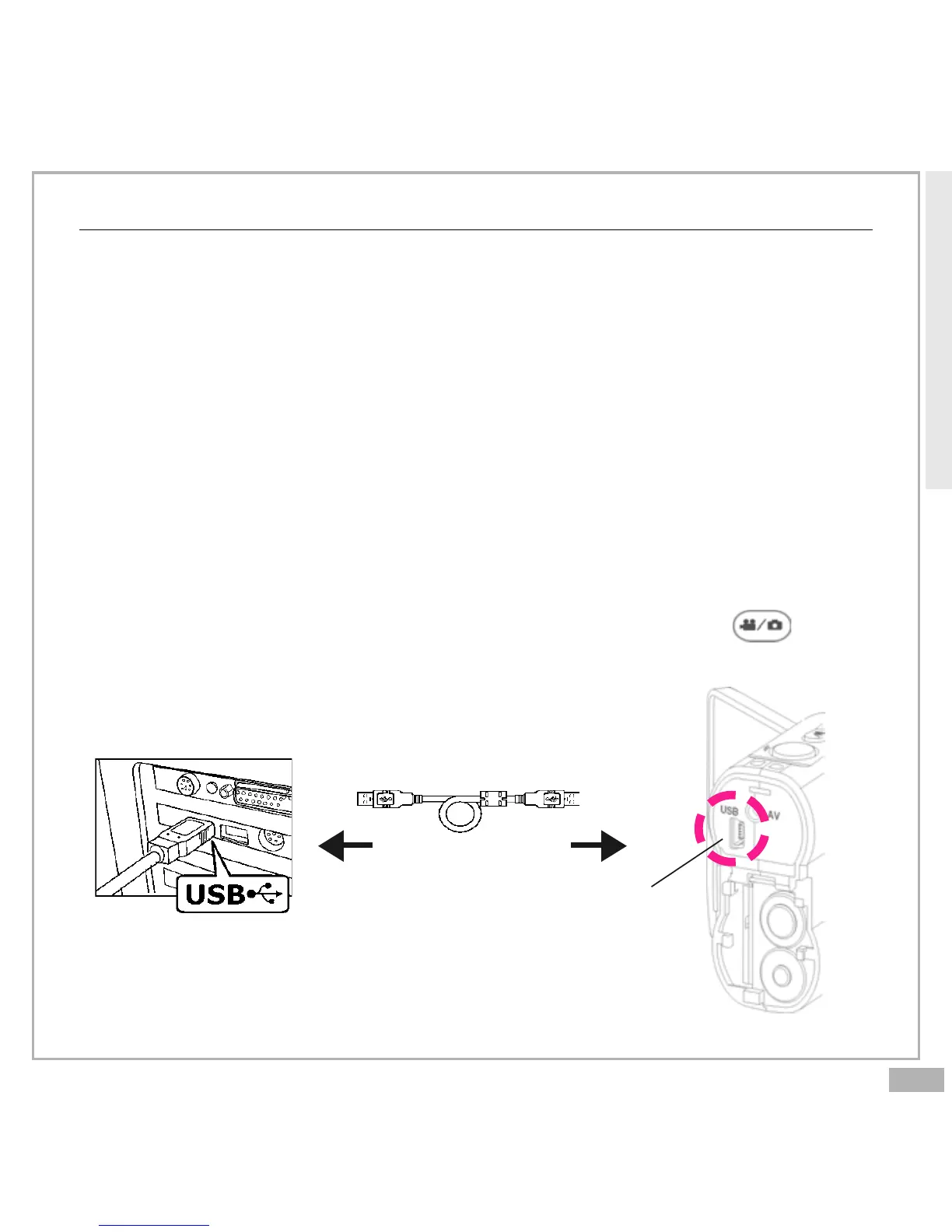
Connect your Digital Video to a computer, it will turn to Mass Storage
Mode. In Mass Storage Mode, your Digital Video acts exactly like a hard
disk. That means you can access it via the Windows user interface. You
can copy, move or delete pictures or movies exactly the way you
manipulate files.
(Note: Please do not copy any files into the DCIM folder of your Digital
Video. Otherwise it may cause Digital Video unstable or crash.)
PC Camera Mode
You can connect this Digital Video to a computer with its supplied USB
cable and use it as a PC camera. After USB connecting, press ; it
will turn to PC Camera Mode. With a compatible video capture program,
you can capture movies.
USB Cable
Getting Started
USB port



 To Next Page