EasyManua.ls Logo

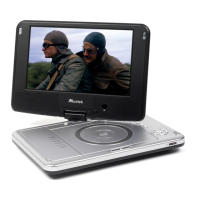
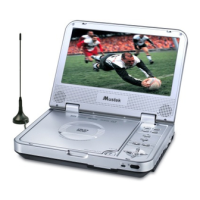
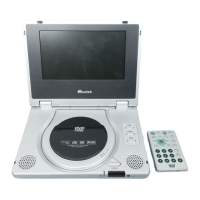
Mustek PL408H - User Manual

Mustek PL408H
75 pages
Print Icon
To Next Page IconTo Next Page
Loading...
Portable DVD Player
User Guide
82-171-00410
Playable Disk Format:
DVD/VCD/CD/CD-R/CD-RW
English
Español
Français
Português

Table of Contents

Questions and Answers

  • V
    Vicki MorenoAug 20, 2025
    How to fix a Mustek Portable DVD Player that has no power?
    • K
      Kayla WattsAug 20, 2025
      If your Mustek Portable DVD Player has no power, ensure the power plug is securely inserted into the outlet. Also, check that the ON/OFF button on the right side of the player is switched on. To rule out an issue with the outlet, test it by plugging in another appliance.
  • M
    Matthew FowlerAug 22, 2025
    Why is my Mustek PL408H remote control not working?
    • N
      Nancy SilvaAug 22, 2025
      If your Mustek Portable DVD Player isn't responding to the remote control, first, ensure the batteries are correctly installed with the proper polarity (+ and –). If they are, try replacing them with new batteries, as the old ones may be depleted. Make sure to point the remote control directly at the signal sensor within a 6-meter range, and remove any obstacles that might be blocking the signal.
  • M
    martinezjenniferAug 25, 2025
    What to do if my Mustek PL408H does not start playback?
    • J
      jenkinsemmaAug 25, 2025
      If your Mustek Portable DVD Player isn't playing when you press PLAY, condensation may have formed inside. Wait 1 to 2 hours to allow any condensation to evaporate. Also, ensure the disc format is compatible with your player, and try another disc to check if the original disc is defective. Finally, verify the region code to ensure it matches your player's region.
  • A
    Aimee SantiagoAug 26, 2025
    Why is there no picture on my Mustek PL408H Portable DVD Player?
    • J
      Jamie MarshallAug 26, 2025
      If your Mustek Portable DVD Player has no picture, first ensure that all equipment is properly connected. Check that the input setting on your TV is set to 'Video' and that any external equipment is powered on. Ensure you've selected the same channel and source on your TV as on the DVD player, and confirm that the LCD screen is on.
  • S
    Shelley BrowningAug 28, 2025
    How to troubleshoot no sound on a Mustek PL408H?
    • M
      Maurice AbbottAug 28, 2025
      If there is no sound coming from your Mustek Portable DVD Player, begin by checking that all equipment is properly connected. If you're using a HiFi amplifier, test with another sound source to isolate the problem. Access the Audio Output Setting menu and confirm that 'Analog Output' is selected. Lastly, verify the volume level to ensure it is adequately adjusted.
  • C
    Chad MartinezAug 29, 2025
    Why does my Mustek PL408H Portable DVD Player stop playing immediately after starting?
    • D
      David WattsAug 29, 2025
      If your Mustek Portable DVD Player starts playback but stops immediately, it might be due to a dirty disc. Ensure the disc is installed with the label side facing up.
  • A
    Ana MorganAug 31, 2025
    What to do if the key operation is not effective on my Mustek Portable DVD Player?
    • B
      Bryan CastilloAug 31, 2025
      If the key operation on your Mustek Portable DVD Player (or the remote control) is not effective, try turning the unit off and then back on. Alternatively, turn off the unit, disconnect the AC power cord, and then reconnect it.
  • R
    Robin DavisSep 2, 2025
    How to resolve distorted sound on a Mustek PL408H Portable DVD Player?
    • E
      Emily WareSep 2, 2025
      If your Mustek Portable DVD Player has distorted sound, ensure that the input settings for both the TV and stereo system are properly configured. Remember that no sound is heard during a still picture (pause).
  • A
    andrewrobbinsSep 4, 2025
    How to fix a distorted picture on a Mustek Portable DVD Player?
    • D
      Deborah LambSep 4, 2025
      If you're experiencing distorted picture quality on your Mustek Portable DVD Player, inspect the disc for fingerprints and clean it gently with a soft cloth, wiping from the center to the edge. Note that a small amount of picture distortion can sometimes occur and doesn't necessarily indicate a malfunction.
  • B
    Brian MooreSep 6, 2025
    How do I fix no audio at Digital Output on my Mustek Portable DVD Player?
    • D
      Dean BrownSep 6, 2025
      To resolve the issue of no audio at the Digital Output of your Mustek Portable DVD Player, first, check the digital connections to ensure they are secure. Next, navigate to the settings menu and verify that the digital output is enabled. Finally, confirm that the audio format of the selected audio language is compatible with your receiver's capabilities.

Summary

FCC and Safety Information

Important Safety Instructions

Precautions

Chapter 1. DVD

DVD Playback Operations

Basic playback operations for DVDs, including starting, stopping, navigating chapters, and repeat viewing.

DVD Convenient Functions

Explore advanced features like scene info, audio/subtitle language selection, angle viewing, and menu navigation.

Chapter 2. Audio CD

Audio CD Playback

Instructions for basic playback of Audio CDs, including loading, stopping, and fast forward/rewind.

Chapter 3. Special Functions

Playing Kodak Picture CDs

View Kodak Picture CDs with basic playback, slide shows, and modes like Rotate and Program.

Playing JPEG Picture CDs

View JPEG Picture CDs with basic playback, file management, and modes like File Manager and Thumbnail.

Chapter 4. Setup

Language Setup

Customize display, menu, audio, and subtitle languages for your DVD player.

OSD Language Setting

Set the language for on-screen display (OSD) messages.

DVD Menu Language Setting

Choose the language for the DVD disc's interactive menus.

Audio Soundtrack Language Selection

Select the preferred audio language track from DVD audio options.

Subtitle Language Selection

Choose the preferred subtitle language from DVD subtitle options.

Screen Setup

Configure display settings including TV type, screen saver, TV system, and video output.

Audio Setup

Configure digital and analog audio output options for sound playback.

Custom Setup

Personalize player settings including parental controls, passwords, and default configurations.

Parental Control Setting

Set viewing restrictions based on movie ratings to protect children.

LCD Setup

Customize the LCD screen's panel, color, brightness, and closing behavior.

Chapter 5. For Your Reference

Troubleshooting Common Issues

Common troubleshooting steps for power, playback, picture, and sound issues.

Disc Handling and Maintenance

Proper procedures for handling, cleaning, storing discs, and maintaining the player.

Mustek PL408H Specifications

General IconGeneral
Battery Life2.5 hours
Aspect Ratio16:9
Power SourceAC adapter, Rechargeable battery
Resolution800 x 480 pixels
Supported FormatsDVD, CD, MP3, JPEG
ConnectorsAV output, headphone jack
Screen Size8 inch

Related product manuals