Patch
Select a Patch
The patches are the combination of effects
in different types and parameters.
The unit has up to 120 patches: 60 user
patches (01-A~15-D) and 60 default
settings (16-A~30-D).
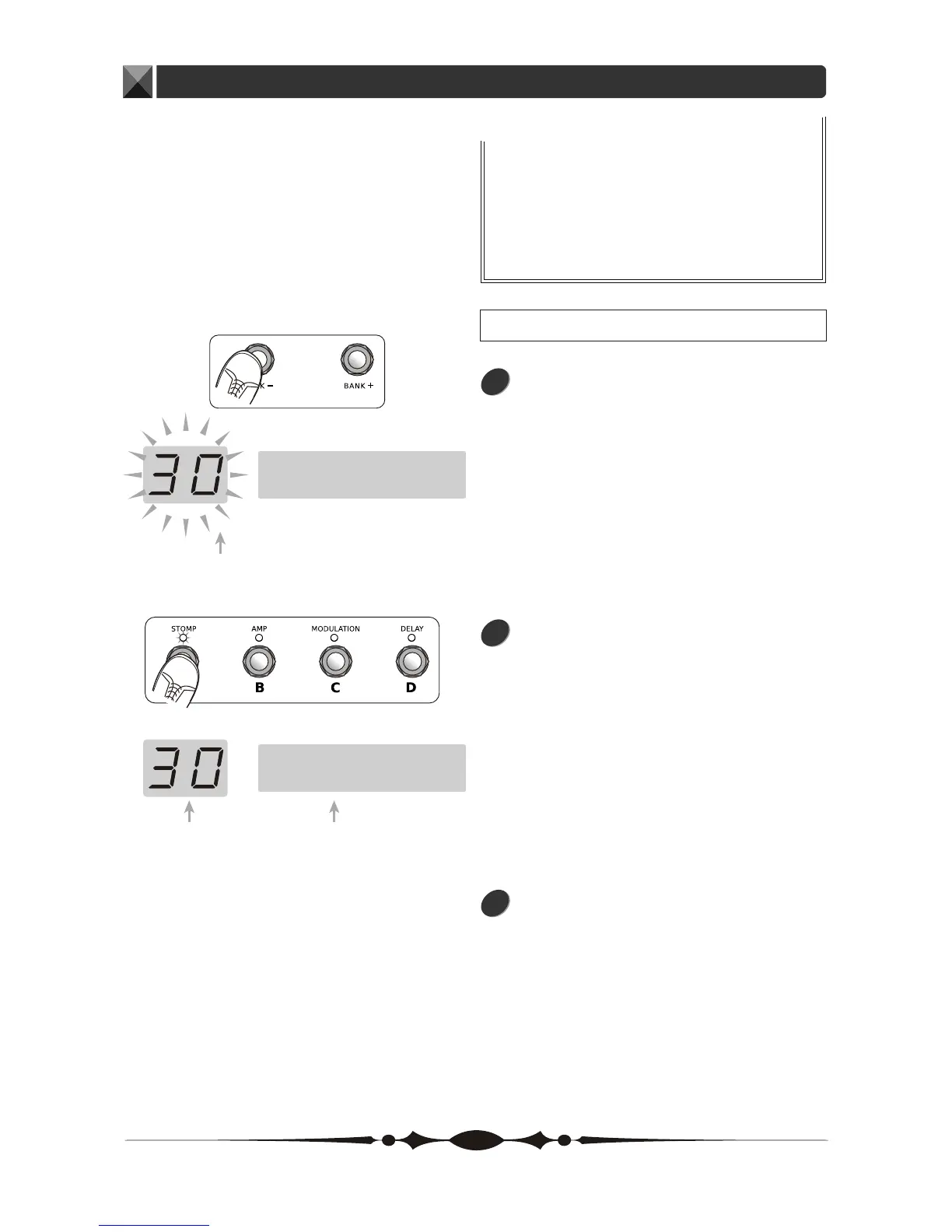
You can use BANK+ and BANK-
footswitches for changing a Bank.
Press and hold the BANK to change
a bank consecutively. The LED
displays the bank number (01~30).
Then, you can press the foot switches
of the other 4 Patches (PATCH A,
PATCH B, PATCH C and PATCH D)
to switch between the four patches in
the current bank. The LCD displays the
current patches' name.
The LED will go on flashing until you
have chosen one patch.
1
2
3
MUZA2006
Storm II
bank number
(01~30)
Flashing
patch name
9


 To Next Page