
EasyManua.ls Logo

MWXNE MW300 - User Manual

MWXNE MW300
32 pages
Print Icon
To Next Page IconTo Next Page
Loading...
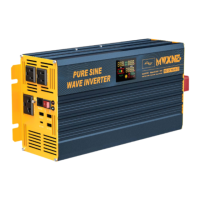
PURE SINE WAVE POWER INVERTER
Thank you very much for purchasing our inverter. Before using the inverter, please read
this manual carefully and use it correctly. After reading it, please put it in a safe place
and keep it well.

Questions and Answers

Summary

Introduction

Product Service and Support

Safety Precautions

Safety Instructions

Instructions and cautions for safe operation, avoiding disassembly, and ensuring firm connections.

Electrical Safety

Guidelines for safe electrical connections, polarity, and handling to prevent shock, fire, or damage.

Installation Safety

Requirements for placement, environment, ventilation, and proximity to batteries for safe installation.

Grounding Instructions

Details on connecting the ground wire for safety, including terminal connections and codes.

Load Precautions

Calculation Method of Required Capacity

Simple Example Reference

Product Information

Package Contents

Lists and illustrates all items included in the inverter package, with notes on variations.

Battery Cables Parameters

Table detailing specifications for battery cables, including AWG, cross-sectional area, and outer diameter.

Fuse Parameters

Fuse Replacement Instructions

Components Overview

Panel Introduction

Diagrams and labels for the front and rear panels of different MWP inverter models.

LCD Display Particulars

Symbol Meanings on Display

Explanation of symbols and indicators shown on the inverter's LCD screen.

Protection Mechanisms

Soft Start Technology

Explanation of the soft-start feature for protecting equipment with inductive loads or motors.

Six Protections

Overview of the six primary protection mechanisms built into the inverter.

Protection Mechanism Current & Voltage Range Table

Table detailing current and voltage ranges for various protection mechanisms.

Remote Control Function

Wireless Remote Control

Information on using the wireless remote control for inverter operation.

Wired Remote Control Usage

Step-by-step guide on connecting and operating the inverter using the wired remote control.

Operation Method

How to Connect

Instructions for connecting the power input cord to the inverter and the battery.

Cigarette Lighter Connection

Guide for connecting the inverter using a vehicle's cigarette lighter socket.

Battery Side Connection

Diagrams showing how to connect the inverter to 12V, 24V, and 48V battery systems.

Product Specification

Troubleshooting

Maintenance Precautions

MWXNE MW300 Specifications

General IconGeneral
BrandMWXNE
ModelMW300
CategoryInverter
LanguageEnglish

Related product manuals