USING THE TOUCH CONTROLS
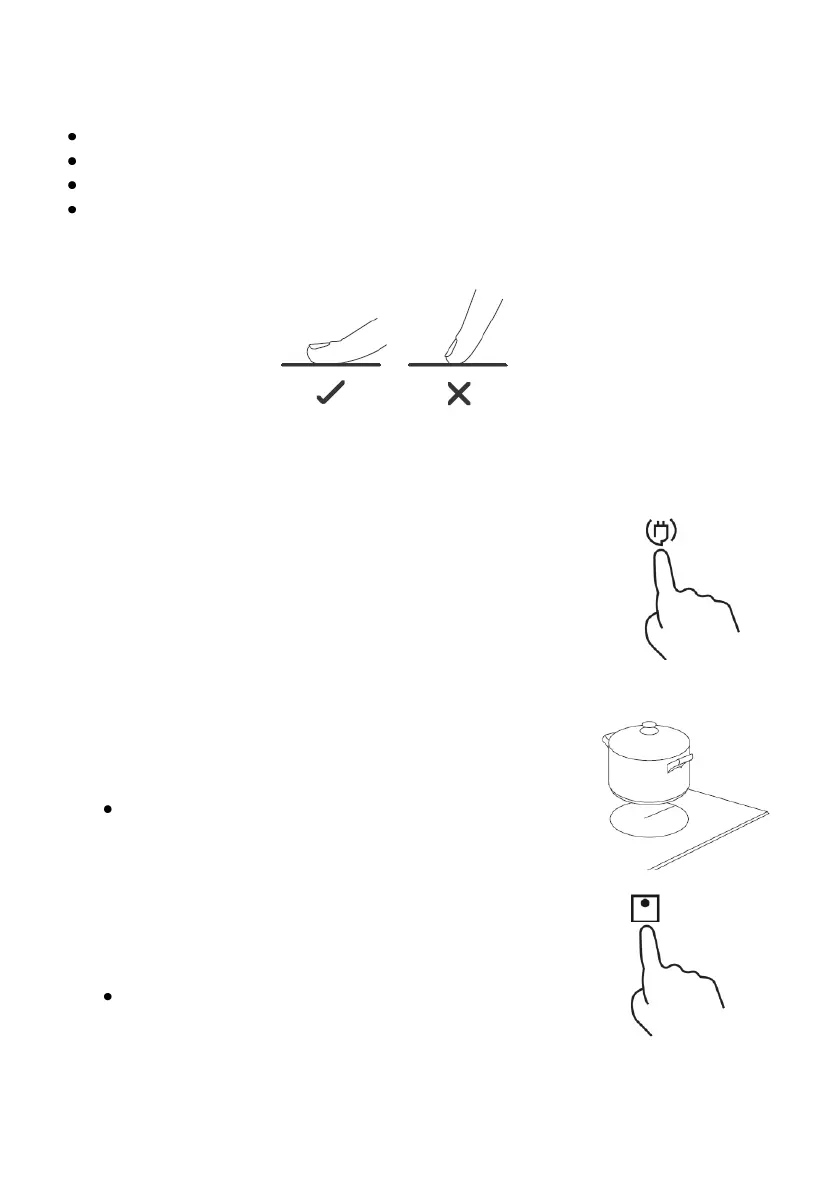
The controls are responsive to touch, so no pressure is required.
Use the entire part of the fingertip, not the tip.
You will hear a beep each time a touch is detected.
Make sure the controls are always clean, dry and that there are no objects
(for example, a utensil or cloth) covering them. Even a thin layer of water
can make the controls difficult to operate.
USING THE INDUCTION COOKER
Para empezar a cocinar
To start cooking
1. Touch and hold your finger on the on / off button 1
until the hob turns on. When the hob is turned on, an
acoustic warning will sound, the power level
indicators will light up and the displays will show the
indications "- -", warning that the hob is on and in the
standby or standby state.
2. Place a suitable container for the chosen cooking
zone.
Make sure the bottom of the pan and the surface of
the cooking zone are clean and dry.
3. Touch selection button 2 corresponding to the
chosen cooking zone, the display will show the
default power level “ P5 ” flashing.
To switch off a cooking zone, touch and hold the
cooking zone you want to switch off for 3
seconds.


 To Next Page