If the display flashes the indication
This means that…
You have not placed a pan on the correct cooking zone or,
that the cookware you are using is not suitable for induction cooking or,
that the pan has a too small base or is not centered correctly on the
cooking zone.
Therefore…
Heating is not carried out unless there is a suitable container in the cooking
zone.
The screen will turn off automatically after 1 minute if a suitable container is
not placed on it.
When you have finished cooking
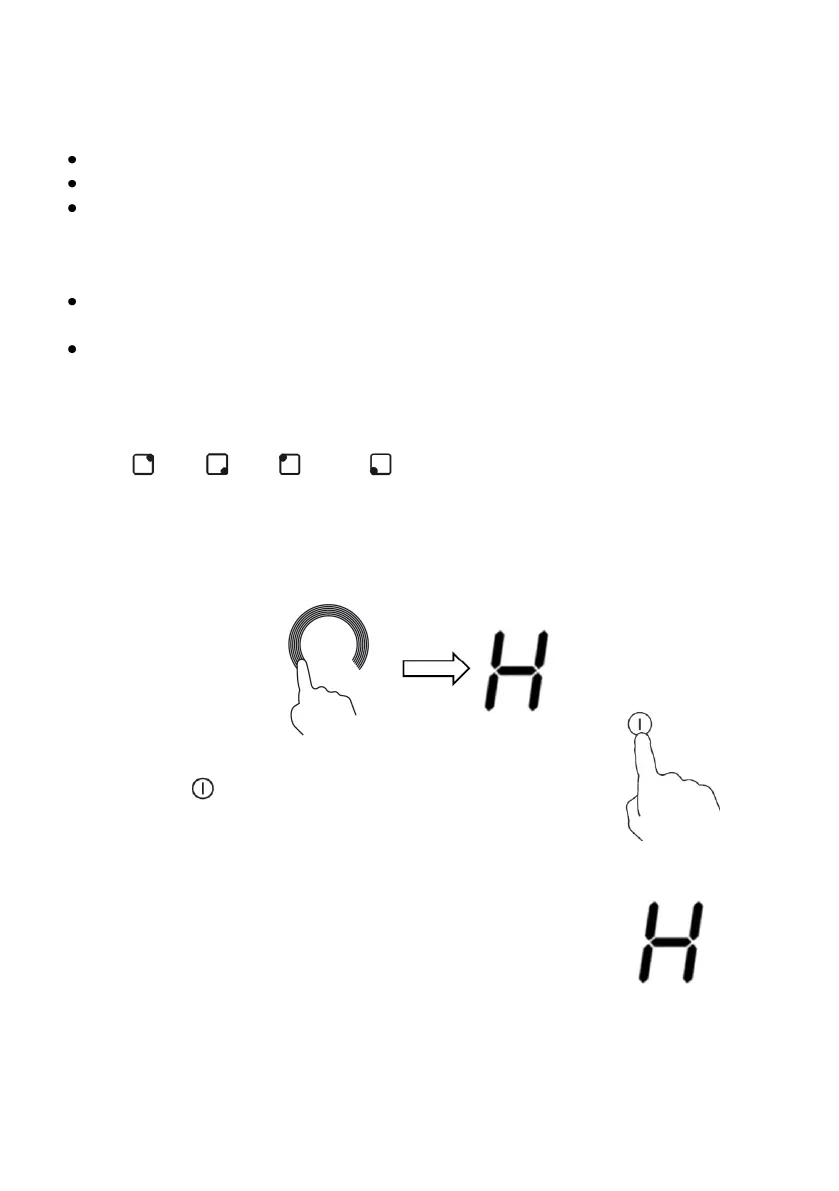
1. Choose the cooking zone you want to turn off using the selection buttons
3 ( ), 4 ( ), 5 ( ) or 6 ( ) and when the power level indicator starts
to flash, turn off the cooking zone as described in point 6 of the previous
section).
2. If the power indicator of a cooking zone shows “ H ”, it means that the
corresponding cooking zone is very hot.
3. To turn off the induction hob, touch the Power on / off
button 1 ( ).
4. Beware of hot surfaces!
The “ H ” symbol indicates which cooking zone is hot
to the touch. It will disappear when the surface has
cooled to a safe temperature. It can also be used as
an energy saving function if you want to heat more
pans, use the cooking zone that is still hot


 To Next Page