D-Link Technical Support – How to install the DCS-930L. Page 13 of 16
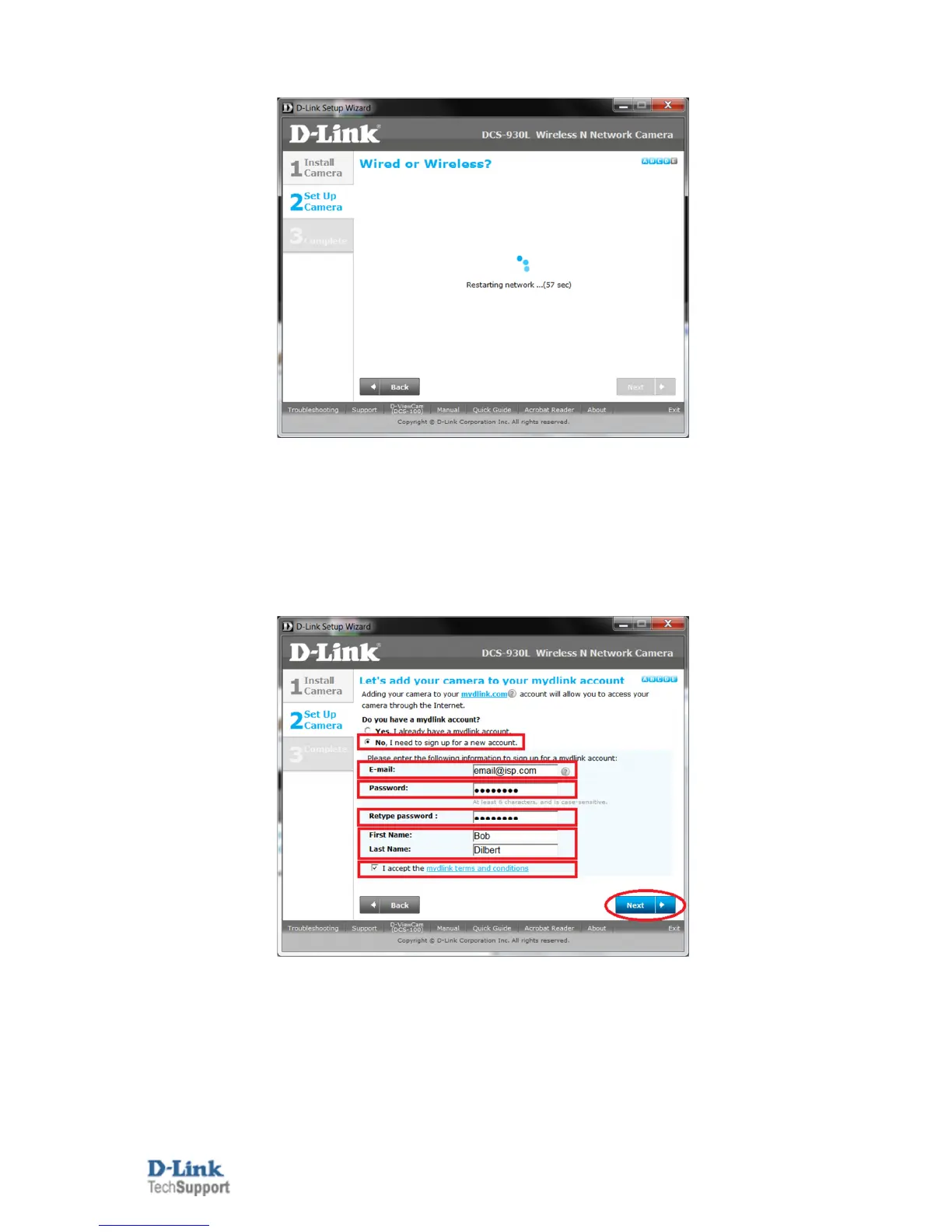
18. Patiently wait for the DCS-932L to restart and update its device information:
19. It is likely that you don't already have a mydlink account, so let's create one (if you already have a
mydlink account, refer to Step 19a):
You will need to fill in the below requirements, such as your Email / the Password you want to assign to your
mydlink account / First name and last name. You will also need to agree to the mydlink terms and
conditions, then click on Next.
An example is below:


 To Next Page