EasyManua.ls Logo

MYERS MP Series - User Manual

Default Icon
169 pages
Print Icon
To Next Page IconTo Next Page
Loading...
State of California
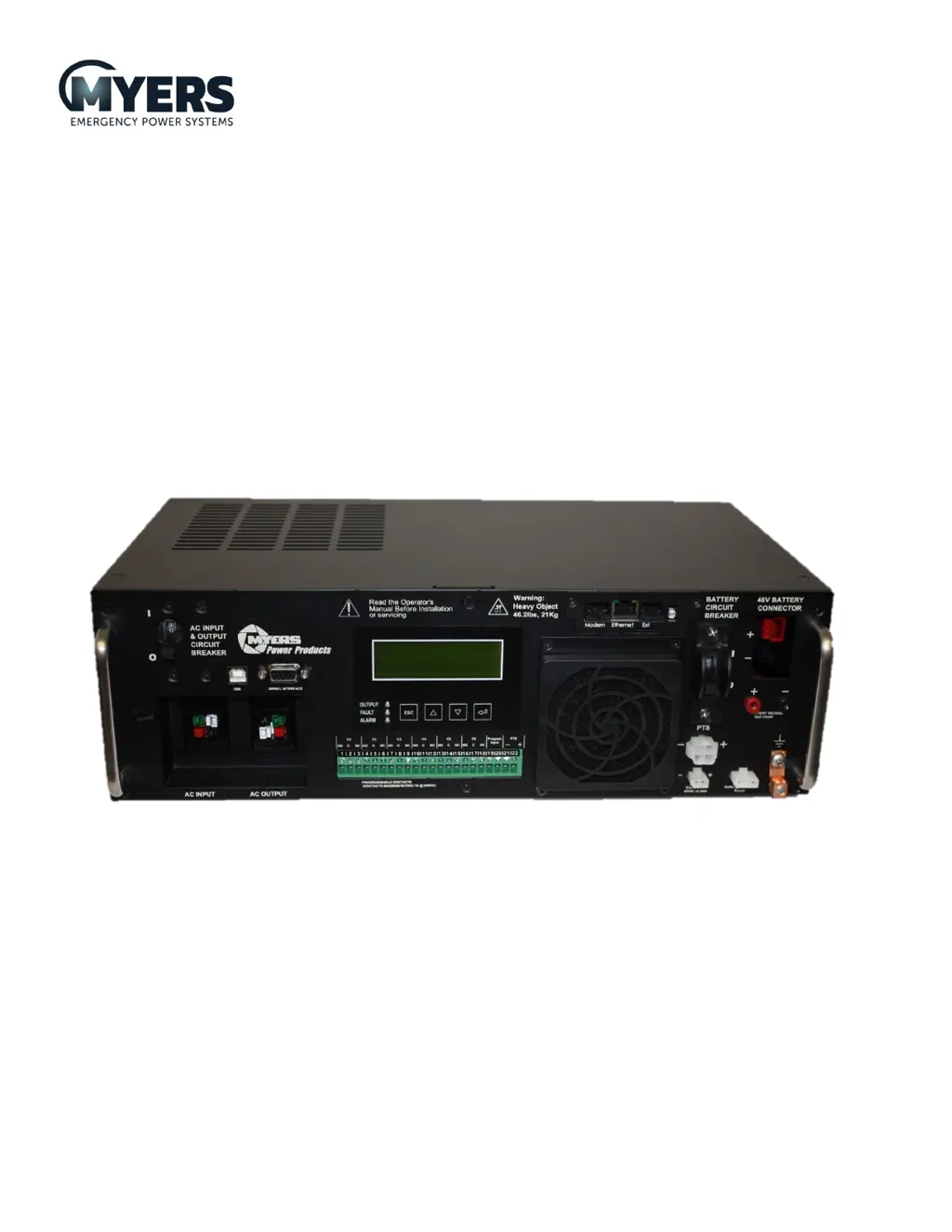
MP SERIES™ Battery Backup System
for Traffic Signals
MP2000E System
Volume One: Operating Manual
MP SERIES™ Battery Backup System for Traffic Signals
MP2000E System
Revision 5.0
Serial Numbers: MC18E16553 to present

Other manuals for MYERS MP Series

Questions and Answers

  • F
    fmcmahonAug 17, 2025
    What to do if there is no output available from MYERS Camera Accessories PTS?
    • D
      Daniel MckenzieAug 17, 2025
      If there's no output from your MYERS Camera Accessories PTS, here's what you can check: * Ensure the upstream utility circuit breaker or fuse is closed. * Verify utility AC power is available, using an AC voltmeter and contacting the Utility Company if needed. * Correct any wiring errors at the PTS terminal block. * If 120 VAC is present at “L IN” and NEUTRAL at the PTS terminal block, the PTS may be faulty and require replacement.
  • J
    josephthomasAug 20, 2025
    Why won’t MYERS Camera Accessories PTS allow transfer to Battery mode?
    • C
      Caitlin MooreAug 20, 2025
      If your MYERS Camera Accessories PTS won’t switch to battery mode, consider these potential causes: 1. The MP2000E output power might not be correctly connected to the PTS. Ensure the “BBS OUT” cord from the PTS is properly connected to the AC OUTPUT Quick Connect socket or terminal block on the MP2000E. 2. The “BBS INPUT” circuit breaker at the PTS could be open. Reset the breaker and clear any faults. 3. The black and red control wires from the PTS may not be connected to the MP2000E. Check the connection at the MP2000E. 4. The PTS itself might be faulty, requiring replacement.
  • M
    Melissa KimAug 22, 2025
    How to fix MYERS Camera Accessories MP2000E when it does not return back to input Line mode?
    • L
      Logan MccallAug 22, 2025
      If the MP2000E isn't returning to input Line mode, verify that the “BBS IN” cord from PTS is properly connected to the AC INPUT Quick Connect socket or terminal block on the MP2000E. Also, verify that the “BBS INPUT” circuit breaker at PTS is closed and ensure that the utility input is present.
  • M
    Melissa SanchezAug 26, 2025
    How to fix no output from MYERS MP Power Supply unit?
    • K
      Kathryn DelacruzAug 26, 2025
      If your MYERS Power Supply unit shows no output, first ensure that both the AC input and output circuit breakers are turned ON. Also, verify that there is incoming utility line power by closing the upstream breaker.
  • J
    James CooleyAug 28, 2025
    What to do if MYERS Power Supply doesn't transfer to battery mode?
    • R
      robert76Aug 28, 2025
      If your MYERS Power Supply isn't transferring to battery mode during a power failure, or the backup time is shorter than expected, ensure the batteries (48 VDC nominal) are correctly connected and the battery circuit breaker is closed. Also, ensure the battery is fully charged. Clean and tighten the battery connections and replace the battery if needed.
  • G
    greendennisAug 30, 2025
    How to troubleshoot no output from MYERS MP PTS?
    • W
      Wendy Massey MDAug 30, 2025
      If there's no output from the PTS (Power Transfer Switch) of your MYERS Power Supply, start by ensuring the upstream utility circuit breaker or fuse is CLOSED. Also, use an AC voltmeter to check if Utility AC Power is available. Correct any wiring errors at the PTS terminal block. If 120 VAC is present at “L IN” and NEUTRAL at the PTS terminal block, replace the PTS.
  • A
    Anthony WhiteSep 2, 2025
    Why MYERS MP PTS won’t allow transfer to Battery mode?
    • J
      jorgemurphySep 2, 2025
      If your MYERS Power Supply PTS won’t allow transfer to Battery mode, verify that the “BBS OUT” cord from the PTS is properly connected to the AC OUTPUT Quick Connect socket or terminal block on the MP2000E. Ensure the “BBS INPUT” circuit breaker at PTS is closed. Also, check the connection of the black and red control wires from the PTS to the MP2000E.
  • A
    April SimpsonSep 5, 2025
    How to fix unreadable LCD screen on MYERS MP?
    • J
      Jerome BrownSep 5, 2025
      If the LCD screen on your MYERS Power Supply is not readable, try adjusting the contrast. Press and hold the ESC button, then press the ENTER button while still holding ESC. Release both buttons, and use the UP and DOWN arrow buttons to adjust the contrast. Press ENTER when you achieve the desired contrast.
  • T
    Taylor CrawfordSep 7, 2025
    What to do if MYERS Power Supply batteries will not charge?
    • J
      Jennifer GonzalezSep 8, 2025
      If the batteries of your MYERS Power Supply will not charge, check that the battery connections have the proper torque. Also, ensure that the temperature probe is factory-supplied and reads approximately 12,000 ? at 25°C (77°F).
  • J
    Joshua RobertsSep 12, 2025
    Why is the output LED off on my MYERS MP?
    • C
      carlosharrisonSep 12, 2025
      If the Output LED on your MYERS Power Supply is OFF, ensure that qualified input power is applied and verify that the battery breaker is closed.

MYERS MP Series Specifications

General IconGeneral
BrandMYERS
ModelMP Series
CategoryPower Supply
LanguageEnglish