Need help?
Do you have a question about the MyGica ATV1200 and is the answer not in the manual?
Critical warnings regarding electrical shock and potential product damage.
Essential safety instructions and precautions for using the device.
Specific guidelines for safely handling the apparatus to prevent damage.
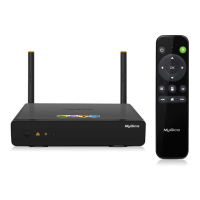
Lists all items included in the ATV1200 product package.
Details the main specifications and capabilities of the ATV1200.
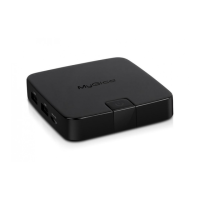
Identifies device ports, indicators, and remote control buttons.
Guidance on connecting the ATV1200 to power and display.
Overview of the ATV1200 home screen interface and navigation.
Steps for scanning and connecting to available Wi-Fi networks.
Instructions for establishing a wired network connection.
How to view and check network data usage information.
Accessing and configuring portable hotspot and proxy settings.
Adjusting volume, touch sounds, font size, and display properties.
Viewing and managing internal and external storage usage.
Listing, installing, uninstalling, and managing applications.
Configuring device security and app installation permissions.
Changing system language, keyboard, and input settings.
Performing data backups and restoring the device to factory defaults.
Setting date/time and configuring advanced developer features.
Viewing firmware version and other device-related information.
Guide to installing and removing applications from various sources.
Using XBMC for playing local and internet media files.
Accessing and playing media files from SD card or USB drives.
Enabling DLNA and AirPlayer for media sharing.
Organizing frequently used applications for quick access.
Using the MyGica RemoteIME app for device control.
Instructions for downloading and installing the latest firmware.
Solutions for frequently encountered problems and FAQs.
Guidelines and procedures for seeking product repair services.
Comprehensive technical details of the ATV1200 hardware and software.
Legal information regarding trademarks and licensing.
 General
| Wi-Fi | 802.11 b/g/n |
|---|---|
| USB Ports | 2 x USB 2.0 |
| Support for 4K | No |
| Power Supply | 5V/2A |
| RAM | 1GB |
| Internal Storage | 4GB |
| Video Output | HDMI |
| Audio Output | HDMI, Optical |
| Ethernet | 10/100 Mbps |
| Card Reader | SD |
| Remote Control | Included |

 To Next Page