User and safety guide
5
Creating a user prole
for the MyKi application
• Scan the QR code from the box to download the MyKi
application.
• Install the MyKi app for Android or iOS.
• Log in to the application and create an account by
following these steps:
1. Select the „Register“ button.
2. Enter your email.
3. Enter Password.
4. Conrm the password.
5. Read and conrm the Privacy Policy.
6. Read and conrm the Terms and Conditions.
7. Select the „Register“ button.
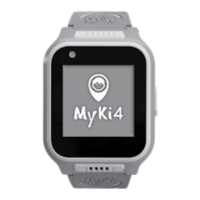
Add the MyKi 4 Watch to
the newly created prole
1. You can add a device to the account from the home
screen of the application or from the Settings menu
-> add new device.
2. When adding a rst device to the account, it is nec-
essary to provide the following information about the
user of the application:
• Name
• Phone number
• Photo (optional)
The application will create a default SOS contact which,
after successfully adding the device to the application,
will be displayed on the home screen of the Watch.
Select the „Save“ button
3. Follow the steps in the application to prepare the de-
vice for registration or see the SIM card section writ-
ten above. Scan the QR code from the Watch screen.
4. Enter device information
• Select a photo of the device (optional)
• Enter a device name
• Enter a phone number for the device
• Select the „Save“ button
Agree to the processing of data provided by the device.
Add a second device
to an existing user prole
You can register a second MyKi 4 Watch to the same
account using the Settings -> Add New Device menu.
You can switch between devices using the arrow (drop-
down menu) at the top of the app‘s home screen.


 To Next Page