EasyManua.ls Logo

MyKronoz ZeTime - Device Settings Menu; General Settings Configuration; Time and Calibration Settings; Activity and Health Settings

MyKronoz ZeTime
45 pages
Print Icon
To Next Page IconTo Next Page
To Previous Page IconTo Previous Page
Loading...
- 35 -
28.SETTINGS
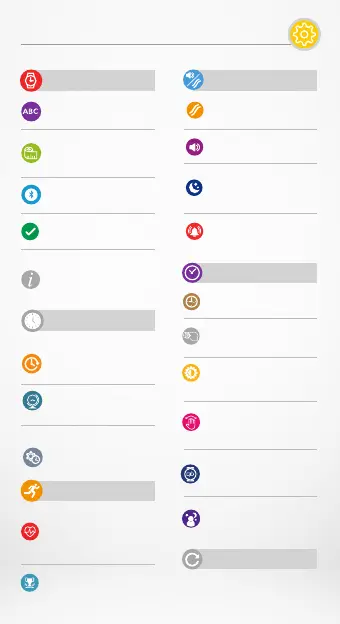
GENERAL
Language:
set your language.
Unit:
choose between metric
or imperial.
Bluetooth:
enable or disable it.
Regulatory:
watch certification.
Watch Information:
view the firmware version
& serial number of the
device.
TIME
Time format:
change date and time
formats.
Home time zone:
set your local time zone.
Calibration:
set time of analog watch
hands.
ACTIVITY
Heart rate
set your minimum and
maximum heart rate
frequency.
Goals:
set your goals.
VIBRATION & SOUNDS
Vibration:
set your vibration mode.
Sounds:
set your sound mode.
Do not disturb :
set a time frame when you
don’t want to be disturbed.
Snooze:
adjust the snooze time.
DISPLAY
Watch face:
set your watch face.
Wrist flick:
enable or disable it.
Brightness:
change the screen
brightness.
Left mode :
enable it to wear your
watch on your right wrist.
Screen time out:
set the standby mode.
Night mode:
enable it and customize
the watch face.
RESET
Reset your watch to its
default settings.