- 18 -
20.UNPAIR, RESET & DELETE
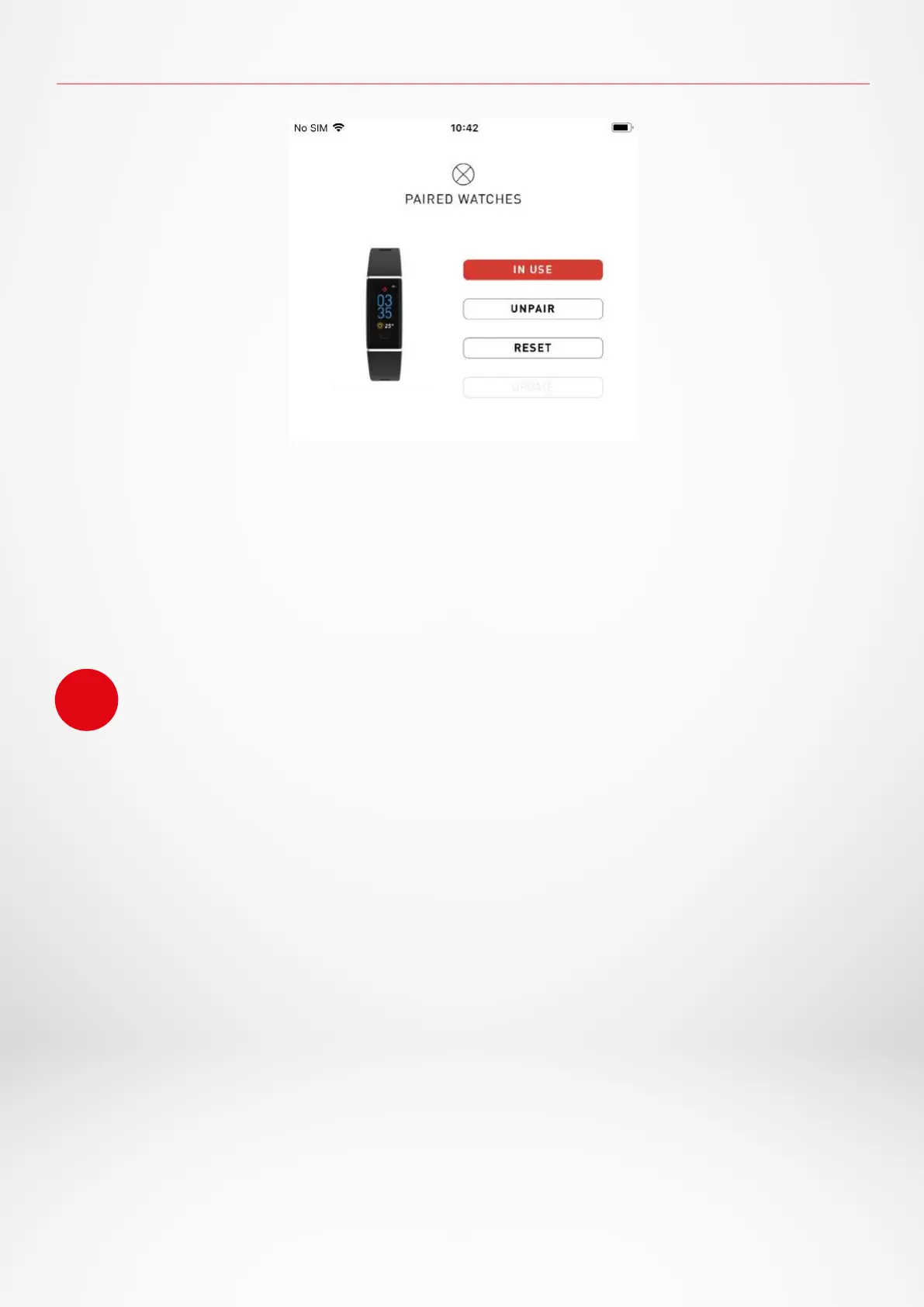
I UNPAIR
If you want to pair your ZeTrack+ with another smartphone, pair another MyKronoz device,
give it to another person or return it, go to the MyKronoz App:
1. Tap on Settings tab
2. Tap on Paired devices
3. Click on Unpair
I RESET
1. Tap on Settings tab
2. Tap on Paired devices
3. Click on Reset
I DELETE
1. Tap on Settings tab
2. Tap on Paired devices
3. Click on Delete
For iOS users, make sure to forget the device from the Bluetooth® settings of your iPhone.
i
ZeTrack+_A0C3


 To Next Page