3
CORRECT
INCORRECT
Changing Filament Colors
1. Be sure the green heat indicator light is on.
2. Click the withdraw button to unload filament
automatically.
3. Ensure the new filament is cut correctly and load
into the pen.
Battery Charging Instructions
Standby / Inactivity
After about 2 minutes of inactivity the pen will power off automatically.
Filament will automatically reverse out of the pen.
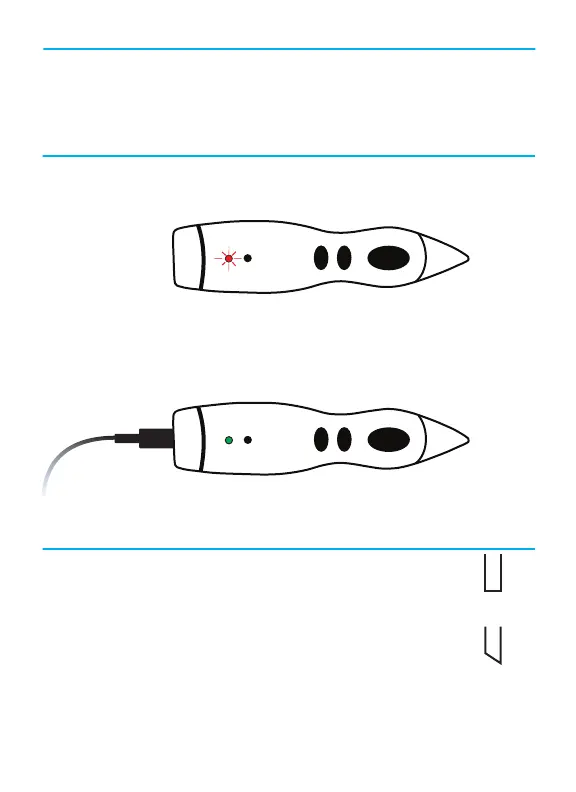
1. When the battery indicator turns red and flashes slowly, it is time to
charge the battery. When it starts to flash quickly, it will power off
automatically after 10 flashes.
2. Insert the USB cable into the end of the pen and plug into a 5V/1A or
above AC/DC adapter, or a computer USB socket.
3. Battery indicator will be red during recharging. When fully charged,
the battery indicator will be green.


 To Next Page