© 2023 myPhone. All rights reserved. EN
28
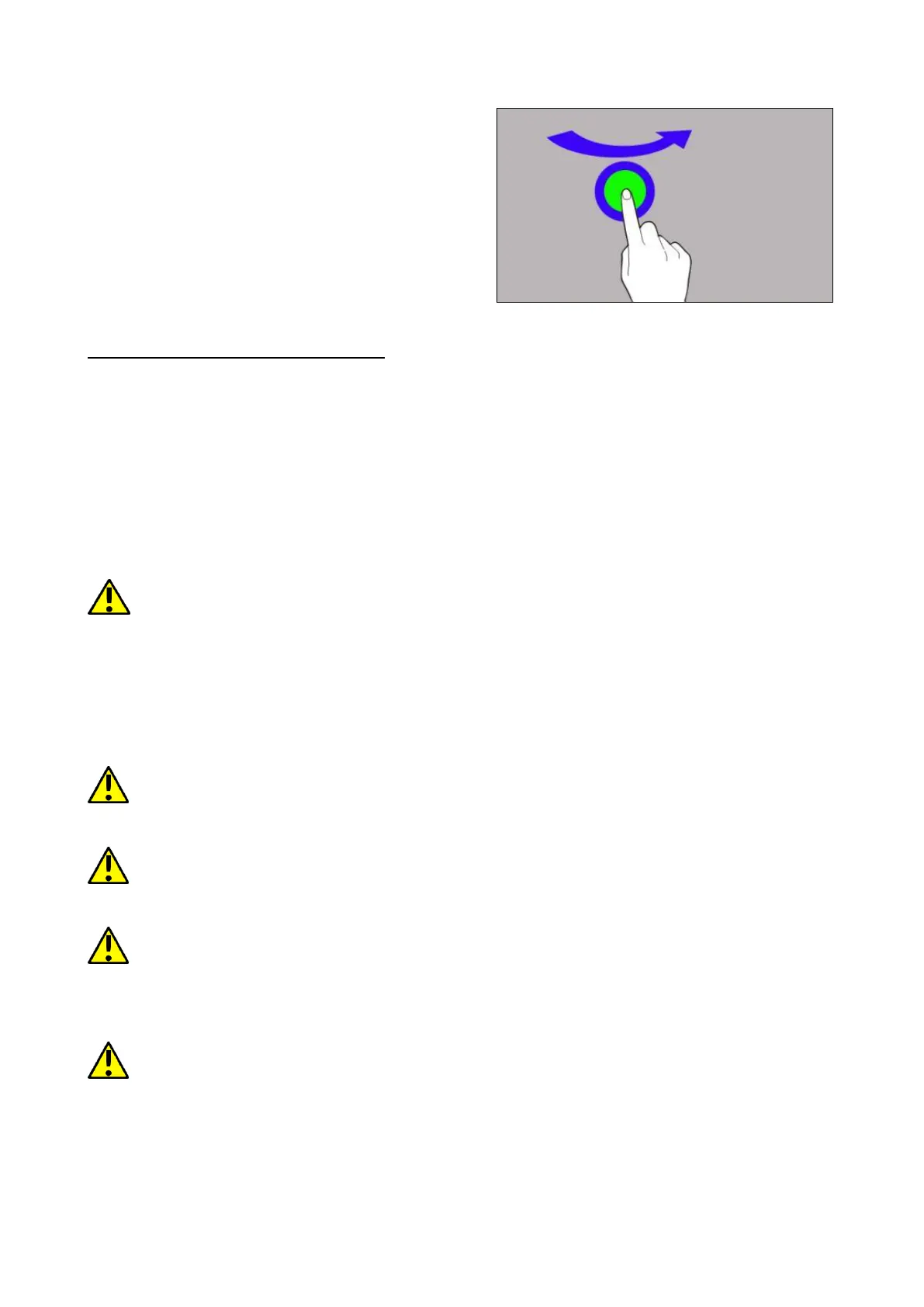
5.2 Swipe
Quickly swipe up, downwards (back
to desktop), left or right (changes
icon screens) to move the list or
screen.
6. Charging the battery
Slide the USB end of the charger into the adapter and connect the
other end to the charging sockets on the back of the watch. The
cable automatically engages in the correct position thanks to a
bipolar magnetic tip. When charging starts, the battery icon of the
charging screen will change to an animated (main screen), large
animated icon in the middle of the screen (device off).
Charge the battery before the first use. The battery should be
charged using the USB cable and charger base provided. Use only
chargers and cables approved by the manufacturer. Using
incompatible chargers or cables can cause explosion of the battery
or damage to your device.
If there is a problem with the battery or if it needs to be replaced,
the device should be delivered to the manufacturer's service centre.
When the battery is fully discharged, the device may not turn on,
even if it is plugged and being charged.
Improper connection of the USB plug may damage the device,
cable and/or charger. All damages resulting from improper handling
are not covered by the warranty.
The device can heat up during charging. It is a regular occurrence
and should not affect the stability or performance of the device.
When the icon's animation stops, the battery is fully charged or the
power of the source (portable charger, laptop) is depleted and the


 To Next Page