© 2023 myPhone. All rights reserved. EN
30
5. In order for the watch to function properly, accept all the required
consents that appear in the application.
6. Your watch is paired.
To disconnect the watch from the smartphone:
1. Go to the „devices” tab in the app, then click „disconnect” and
confirm.
2. Go to Bluetooth settings on your phone -> click on watch name
-> forget device.
3. Your watch is properly disconnected
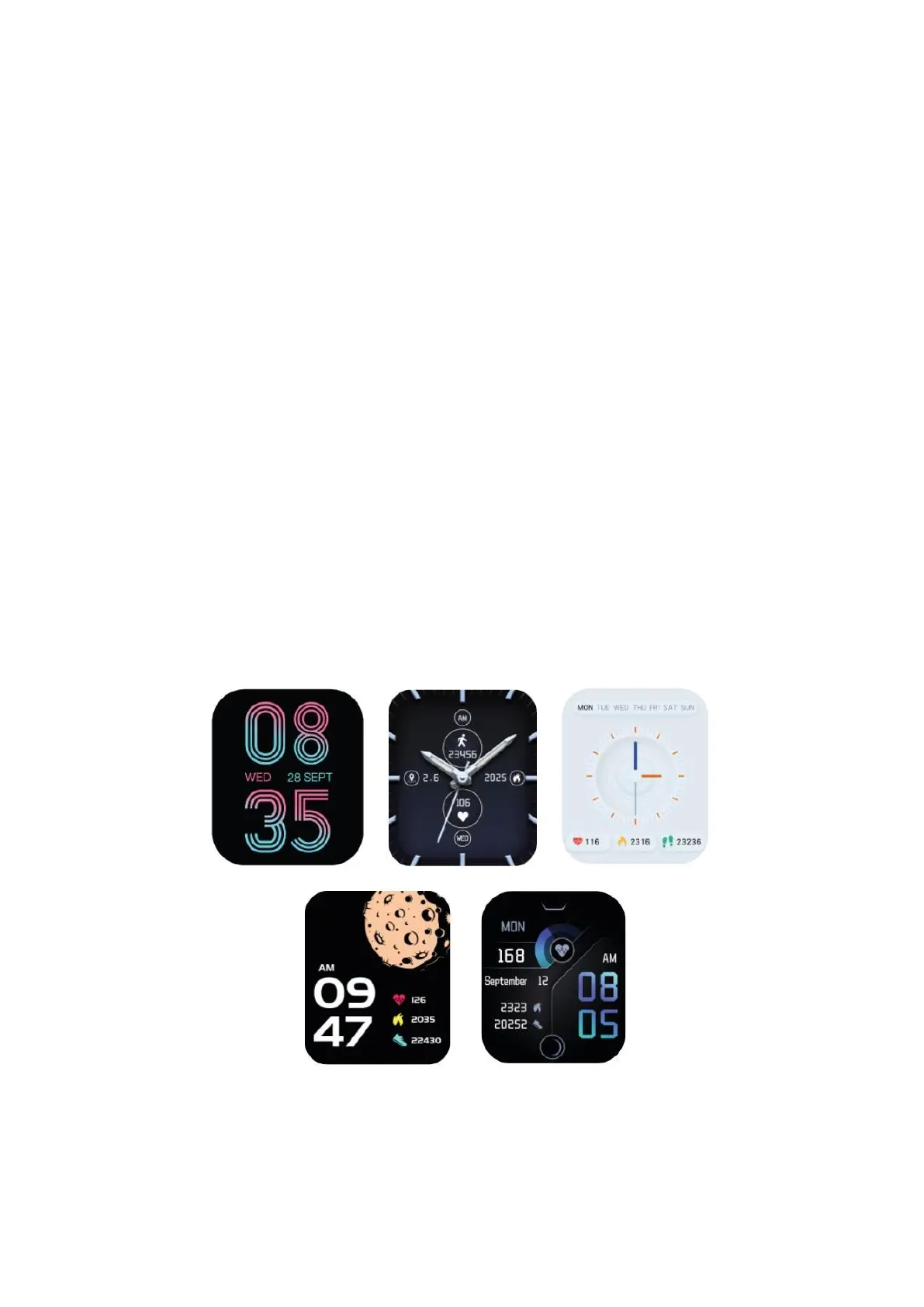
7.3 Changing the watch face
You can change the appearance of the watch display in the
smartwatch. To do this, you need to hold your finger on the active
main screen of the watch until the option to select dials appears,
then you can choose from five installed dials. Below is the
appearance of the smartwatch's dials. In the app, you can also
change the dials or download new ones.
7.4 Main Desktop
You can activate the main desktop of the smartwatch by clicking
the smartwatch button. In addition to the time and date,


 To Next Page