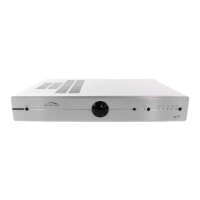
Need help?
Do you have a question about the Myryad MDP 500 and is the answer not in the manual?
Guidelines for proper placement and ventilation to prevent overheating.
Detailed explanation of all physical input and output ports on the rear of the unit.
System integration for synchronized standby and remote control.
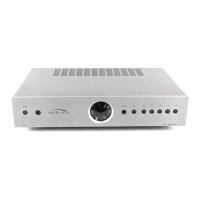
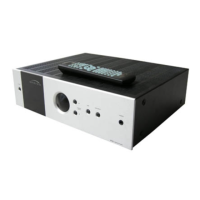
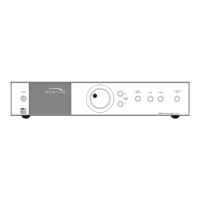
Description and function of buttons and knobs on the MDP 500's front panel.
How to move through and select options within the setup menus.
Accessing audio-related settings like bass, treble, and EQ.
Accessing settings related to speaker configuration and calibration.
Configuring input assignments and source-specific parameters.
Adjusting On Screen Display (OSD) and video settings.
Configuring the DC trigger outputs for external device control.
Fine-tuning Dolby Pro Logic II and DTS Neo:6 music modes.
Creating and assigning custom audio presets.
Balancing the relative volume levels of all speakers.
Setting speaker distances for accurate sound staging.
Defining speaker sizes and subwoofer configuration.
Linking digital inputs and presets to analogue sources.
Assigning digital audio inputs to analogue source selections.
Assigning stored audio presets to specific sources.
Optimizing input gain for analogue sources.
Monitoring analogue input levels for precise sensitivity settings.
Defining what event triggers the Trigger 1 output.
Setting the voltage polarity for Trigger 1 output.
Specifying a delay before Trigger 1 output activates.
Setting how long Trigger 1 output remains active.
Defining what event triggers the Trigger 2 output.
Setting the voltage polarity for Trigger 2 output.
Specifying a delay before Trigger 2 output activates.
Setting how long Trigger 2 output remains active.
Steps to resolve issues where no audio is produced.
Diagnosing problems with specific audio channels.
Identifying and fixing noise issues like buzzing or humming.
Addressing hum experienced during tape playback.
Resolving distortion from analog audio sources.
Solutions for problems with high-resolution digital inputs.
Diagnosing and fixing issues with remote control operation.
Addressing slow or unresponsive command execution.
Resolving general functional issues or unresponsiveness.
 Stereo Analogue Inputs
| input level | 2 Vrms |
|---|---|
| input impedance | 17 kΩ / 100pF |
| maximum input level | 4 Vrms |
Stereo Analogue Outputs| output level | 2 Vrms |
|---|---|
| tape REC output impedance | 500 Ω |
| record outputs impedance | 60 Ω |
7.1 Channel Analogue Inputs| input level | 1 Vrms |
|---|---|
| input impedance | 17 kΩ / 100pF |
| maximum input level | 8 Vrms |
7.1 Channel Line Outputs| output level | 1 Vrms |
|---|---|
| output impedance | 60 Ω |
| maximum output level | 8 Vrms |
Audio Performance| total harmonic distortion (stereo source) | 0.02 % |
|---|---|
| total harmonic distortion (7.1 channel source) | 0.003 % |
| signal-to-noise ratio (A weighted, analogue sources, stereo source) | 92 dB |
| signal-to-noise ratio (A weighted, analogue sources, 7.1 channel source) | 98 dB |
| signal-to-noise ratio (A weighted, digital PCM source) | 98 dB |
 Power
Power| voltage | 100 to 240 V |
|---|
 Weight and Dimensions
| dimensions | 436 x 95 x 341 mm |
|---|---|
| weight | 6.0 kg |

 To Next Page