
 Need help?
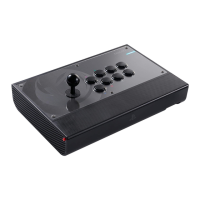
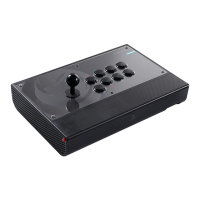
Do you have a question about the Nacon DAIJA ARCADE STICK and is the answer not in the manual?
Details on the product warranty and manufacturer information.
List of all items included within the DAIJA Arcade Stick box.
Instructions for connecting the DAIJA Arcade Stick to gaming systems for enhanced play.
Instructions for connecting and using the arcade stick with PS4.
Instructions for connecting and using the arcade stick with PS3.
Instructions for connecting and using the arcade stick with PC.
Steps to remove and replace the arcade stick buttons.
Guide on how to replace the main joystick component.
Essential safety warnings and usage precautions for the device.
 General
| Device type | Flight Sim |
|---|---|
| Buttons quantity | 13 |
| Built-in touchpad | Yes |
| Gaming control technology | Analogue / Digital |
| Gaming platforms supported | PC, PlayStation 4, Playstation 3 |
| Gaming control function buttons | - |
| Product color | Black |
| Package weight | 4640 g |
 Weight and Dimensions
| Depth | 456 mm |
|---|---|
| Width | 168 mm |
| Height | 324 mm |
| Weight | 3580 g |


 To Next Page