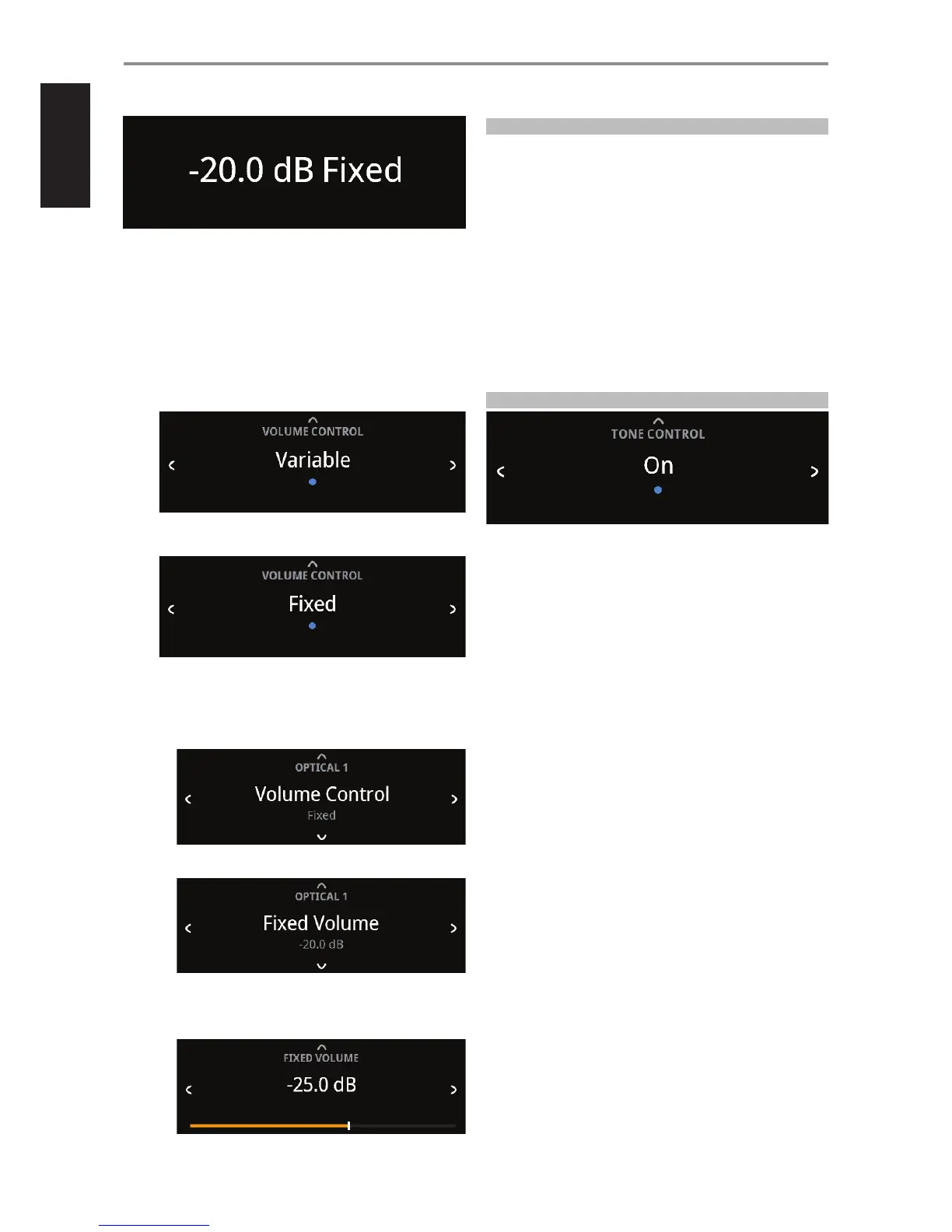
At Fixed volume level setting, front panel display will show “xx.x dB Fixed” as
the volume control is adjusted.
HOW TO NAVIGATE VOLUME CONTROL LEVEL SETTING
A While at “Volume Control” menu, press [f].
B Use front panel [a/s] or SR 9’s [A/S] buttons to toggle between
“Variable” and “Fixed” level options.
1 While at “Variable” option, use front panel [d] or SR 9’s [D] button
to select ”Variable” level and return to “Source Setup” menu
selections.
2 While at “Fixed” option, use front panel [d] or SR 9’s [D] button to
select ”Fixed” level and return to “Source Setup” menu selections.
a With “Fixed” level selected and back to ”Source Setup” menu
selections, use front panel [a/s] or SR 9’s [A/S] buttons to go
“Fixed Volume” option. “Fixed Volume” manifests among “Source
Setup” options only if “Fixed Volume” is the selected “Volume
Control” level.
b Use [f] button to go to Fixed Volume level setting.
c Use front panel [a/s] or SR 9’s [A/S] buttons to set preferred dB
level setting. Then, use front panel [d] or SR 9’s [D] button to
save dB level selection and exit Fixed Volume setup mode.
SETTINGS
The “Settings” main menu allows the conguration of the following
features:
• Tone Control
• Treble
• Bass
• Balance
• Analog Bypass
• Auto Sense
• Auto Standby
• Network Standby
• IR Channel
• IR Learning
• Dimmer
• Temporary Display
• Volume Display Mode
TONE CONTROL
Tone control allows the boosting or reduction of particular audio frequencies.
The tone control levels, Bass and Treble, can be turned on or o.
On: Tone control levels are active. At Tone Controls On, Bass and Treble
control levels are available for conguration.
O: Tone controls levels are bypassed. At Tone Controls O, Bass
and Treble control levels become unavailable or turned o from the
Settings menu.
OPERATION
USING C 658
14


 To Next Page