PAGE 3INTRODUCTION
Table of Contents
Introduction
Safety Precautions ..............................................2
Table of Contents ...............................................3
IMPORTANT
SAFETY INSTRUCTIONS
......4 ~ 5
Precautions .........................................................6
For Proper and Long Use .............................7 ~ 8
Features ..............................................................9
Identification of Contents ..........................10 ~ 13
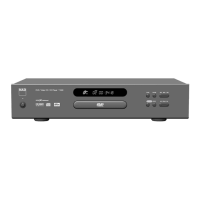
Front Panel/Display window ..........................10
Rear panel .....................................................11
Remote Control .............................................12
Preparing the Remote Control .......................13
Operating with the Remote Control ...............13
Connections
Connecting to a TV ...........................................14
Connecting to an Audio System .......................15
Connecting to Optional Equipment ...........16 ~ 19
Enjoying Dolby Digital Sound ........................16
Enjoying Dolby Digital (5.1 CH) Sound .........17
Enjoying Dolby Pro Logic Surround Sound ...18
Enjoying 2 Channel Digital Stereo Sound .....19
Enjoying DTS Sound .....................................19
Basic Operation
Basic Playback .........................................20 ~ 23
Playing DVDs, CDs & Video CDs ..................20
Stopping Playing & Switching Power Off .......21
Skipping forward or back ...............................21
Scanning forward or back...............................21
Viewing a still frame ......................................22
Slow Playback-Viewing a slow picture ..........22
Playing Frame by Frame ...............................22
Resuming Playback from the Same Location ..
23
Advanced Operation
Viewing Information about DISPLAY ................24
Using a title menu/ DVD menu .........................25
Changing subtitle language
..............................
26
Viewing from another angle ..............................27
Repeat Play ......................................................28
Storing markers in memory to be
viewed (listened to) again .................................29
Zooming Feature/ Random Play .......................30
Program Play ....................................................31
INTRO Play .......................................................31
Initial SETUP Operation
Common procedures of initial settings ..............32
SET UP Menu CLEAR ......................................32
Selecting Display mode ....................................33
Selecting Audio Output .....................................34
Selecting rating level and
Password-Parental Control ...............................35
Selecting Disc Language ..................................36
Reference
Disc Requirements/Copyright Information ........37
Troubleshooting ................................................38
Specifications
....................................................39


 To Next Page