EasyManua.ls Logo

NAD T 532 - User Manual

NAD T 532
25 pages
Print Icon
To Next Page IconTo Next Page
Loading...
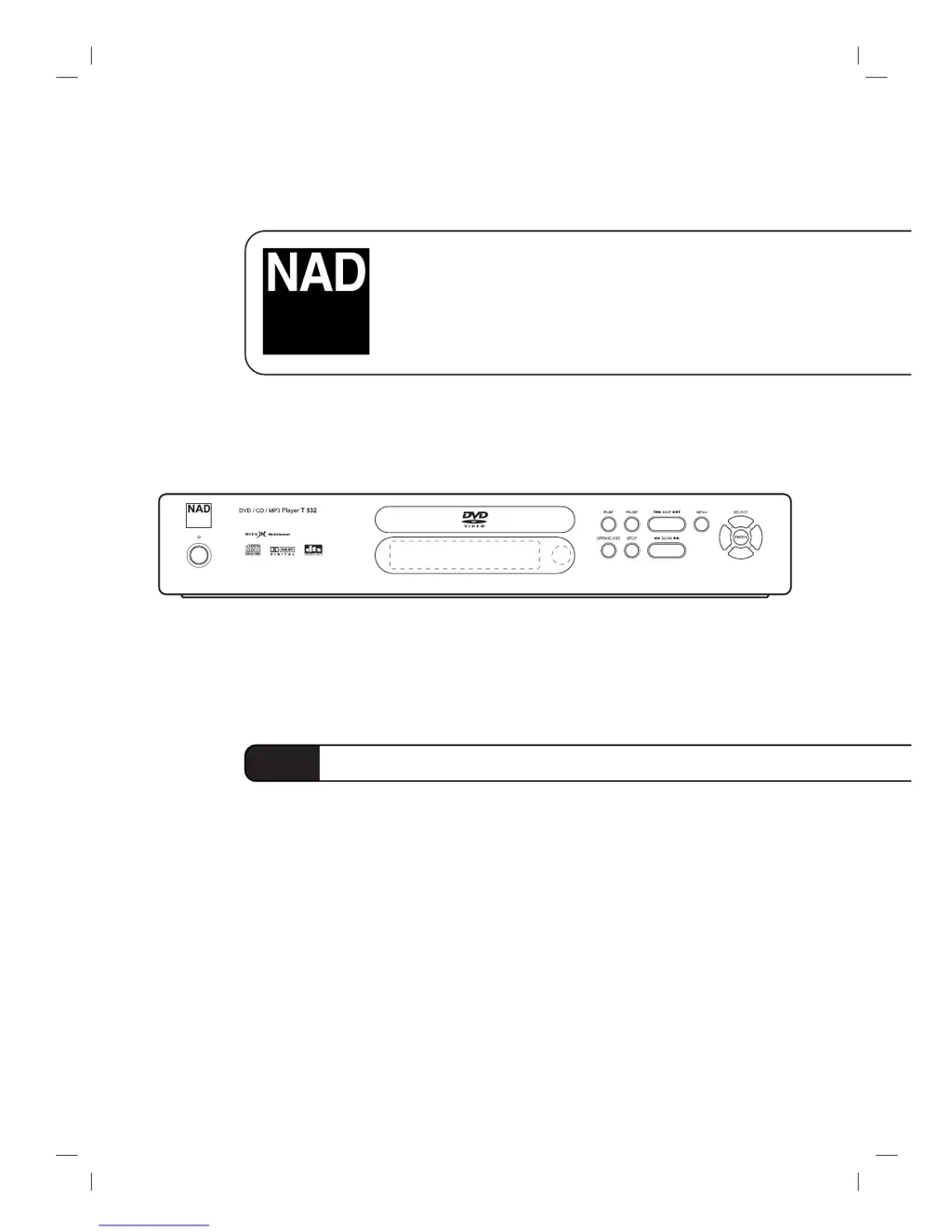
T 532 / T 512
DVD / CD / MP3 Player
GB
Owner’s Manual

Questions and Answers

  • R
    ramirezscottAug 12, 2025
    What to do if my NAD T 532 has no picture?
    • J
      James WilliamsAug 12, 2025
      If your NAD DVD Player shows no picture, there might be a few reasons. First, ensure your TV is set to the correct video input mode to receive the DVD signal. Second, check that the video cable is securely connected to both the DVD player and the TV. Finally, make sure your TV is turned on.
  • A
    Alexis GilbertAug 15, 2025
    Why is there no sound coming from my NAD T 532 DVD Player?
    • T
      Tony MooreAug 16, 2025
      If there is no sound from your NAD DVD Player, check the following: * Ensure the equipment connected to the audio cable is set to receive the DVD audio output. * Verify that the audio cables are securely connected. * Confirm that the equipment connected to the audio cable is powered on. * Check that the Digital Audio Output is correctly set, then turn the DVD player on again.
  • B
    belldustinAug 23, 2025
    How to troubleshoot a NAD T 532 that has no power?
    • S
      Sean FisherAug 23, 2025
      If your NAD DVD Player has no power, the power cord might be disconnected. Ensure the power cord is securely plugged into the wall outlet.
  • W
    William HaleAug 27, 2025
    Why is the playback picture quality poor on my NAD DVD Player?
    • C
      Cynthia RichardsonAug 27, 2025
      If the playback picture on your NAD DVD Player is poor, the disc may be dirty. Clean the disc to improve the picture quality.
  • M
    Michelle LeeAug 30, 2025
    What to do if my NAD T 532 DVD Player says 'unplayable disc'?
    • E
      emily66Aug 31, 2025
      To solve the issue of an unplayable disc being inserted into your NAD DVD Player, insert a playable disc. Ensure you check the disc type, color system, and regional code for compatibility.
  • L
    Linda SnyderSep 3, 2025
    What to do if my NAD T 532 says 'no disc inserted'?
    • C
      catherinemathewsSep 3, 2025
      To resolve the 'no disc inserted' message on your NAD DVD Player, insert a disc. Ensure that the DVD or audio CD indicator is lit in the display window.
  • D
    David KimSep 7, 2025
    How to correctly place a disc in my NAD DVD Player?
    • C
      Christopher BerrySep 8, 2025
      To ensure proper playback on your NAD DVD Player, place the disc correctly on the disc tray inside the guide.
  • M
    Michelle JonesSep 10, 2025
    How to fix a NAD T 532 DVD Player remote that is not working?
    • J
      Jennifer GrossSep 12, 2025
      If the remote control for your NAD DVD Player isn't working, try these steps: 1. Make sure you're pointing the remote at the DVD player's remote sensor. 2. Ensure you're within 23 ft (7 m) of the DVD player. 3. Remove any obstacles between the remote and the DVD player. 4. Replace the batteries in the remote with new ones.

Summary

Safety Precautions

Product Safety Warnings and Cautions

Warnings about electric shock, fire, moisture, and installation in confined spaces.

Copyright and Compliance Information

Information on copyright protection technology and product compliance with EEC directives.

Before Use - Disc Information

Playable Disc Types

Lists the types of discs (DVD, VCD, CD, MP3) that the player can play.

Disc Terminology and VCD Formats

Explains terms like Title, Chapter, Track, Scene, and types of Video CDs.

Before Use - Handling and Symbols

Handling, Storage, and Cleaning

Guidelines for handling the unit, cleaning, and storing discs to ensure proper operation.

Disc Symbols and Notes

Advice on handling discs and explanation of symbols used in the manual.

Front Panel Controls

Player Front Panel Layout

Explanation of the power button, disc tray, playback controls, and display window.

Display Window and Indicators

Description of icons indicating disc type and playback status on the display.

Remote Control Operation

Remote Control Buttons and Range

Detailed explanation of remote control buttons, operation range, and battery installation.

Rear Panel Connections

Audio;Video Output Ports

Description of various output jacks for audio and video signals.

System Switch and Power Input

Explanation of the System Select switch and power cord connection.

Connecting the Player

TV Video and Audio Connections

Guides on making video and audio connections to a TV using VIDEO, S-Video, and SCART.

SCART Connection Details

Specific note on using the SCART's RGB signal with the Video Output Select switch.

Connecting to Audio Systems

Analog and Digital Audio Connections

Instructions for connecting to amplifiers or receivers with analog or digital audio.

Multi-channel Audio Setup

Explanation of digital multi-channel sound and receiver requirements.

Before Operation - Setup Basics

General Operation and Display

Basic operation, on-screen symbols, and how to use the on-screen display.

DVD;VCD Playback Configuration

Configuration of playback options like title, chapter, time, audio, and subtitles.

Initial Settings - Preferences

General Setup Procedure

Steps to access and navigate the player's setup menu for initial configuration.

Language and Picture Adjustments

How to set language preferences and TV aspect ratio for optimal viewing.

Sound and Feature Settings

Digital Audio Output Configuration

How to configure digital audio output and sample frequency settings.

Advanced Sound and Feature Controls

Explanation of DRC, Vocal, and PBC settings for enhanced playback.

Parental Control and Region Settings

Parental Control Setup and Passwords

How to set parental control ratings, passwords, and unlock features.

Country Code and Code Management

How to set country codes and manage the 4-digit password.

DVD;VCD Playback Operations

Basic Disc Playback and Menus

Steps to insert discs, play content, and navigate disc menus.

Navigation and Slow Motion Features

How to move between titles, chapters, and use slow motion.

DVD;VCD Playback Controls

Still Picture, Search, and Random

How to use frame-by-frame playback, search functions, and random playback.

Repeat Functions and Time Search

How to repeat sections, set A-B repeat points, and perform time searches.

Advanced DVD Playback Features

Zoom, Markers, and Special Features

How to enlarge images, set playback markers, and access disc menus.

Angle, Audio Language, and Subtitle Selection

How to change camera angles, audio tracks, and subtitle languages.

Audio CD and MP3 Playback

Playing CDs and MP3 Discs

Steps to insert discs and select tracks for playback.

CD;MP3 Playback Controls

How to pause, move between tracks, repeat tracks, and search.

Programmed Playback

Creating Track Playlists

How to create and manage programmed playback lists for CDs, MP3s, and VCDs.

Managing Programmed Playback Lists

How to erase individual tracks or the entire programmed playback list.

Additional Information

Player Memory and Screen Saver

Details on last condition memory, screen saver, and video mode settings.

MP3 Disc Compatibility Guide

Compatibility requirements and recommendations for playing MP3 discs.

Troubleshooting Common Issues

Power, Picture, and Sound Problems

Solutions for common problems like no power, no picture, or no sound.

Playback and Remote Control Faults

Solutions for playback errors and remote control malfunctions.

Language Code Reference

Language Code Directory

A list of codes for various languages used in initial settings like Disc Audio and Subtitle.

Country Code Reference

Country Code Directory

A list of country codes to be entered for initial settings like Country Code and Rating.

Product Specifications

Technical Specifications Overview

Details on power requirements, dimensions, laser, signal system, and frequency response.

Output and Accessory Details

Information on output connections, signal levels, and included accessories.

NAD T 532 Specifications

General IconGeneral
BrandNAD
ModelT 532
CategoryDVD Player
LanguageEnglish

Related product manuals