Need help?
Do you have a question about the Nagel Foldnak 100 and is the answer not in the manual?
Key operational warnings and critical information for user attention.
Specifies the intended application for the Foldnak booklet maker.
Defines the intended use of the Trimmer 100 booklet face trimmer.
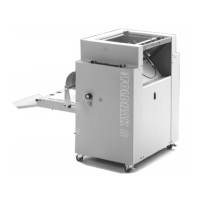
Provides a detailed description of the Foldnak 80/100 booklet maker.
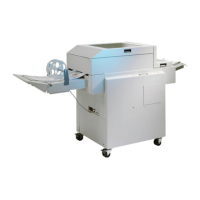
Details the specifications and features of the Trimmer 100.
Instructions for preparing stapling heads to prevent wire issues during transport.
Step-by-step guide for powering on the machine components.
Adjusting and selecting paper sizes for machine operation.
Fine-tuning width, length, staple, and fold positions.
Procedure for resetting the batch counter.
Setting the paper feed source and finishing mode.
Adjusting the delay time for the delivery belts.
Setting the cutting width offset and trimmer modes.
Adjusting the belt delay to prevent booklet jump-back.
Defining and selecting custom paper formats.
Selecting the display language for the machine.
Changing between metric and imperial dimension displays.
Information regarding password-protected service functions.
Setting the operational speed for S8 and RF operations.
Options for clearing paper jams or errors.
Details on Hohner stapling heads, wire, and adjustment.
Troubleshooting steps for an open door error.
General check for feeder issues (S8 or RoboFeeder).
Diagnosing errors related to the home position of components.
Troubleshooting transport finger position errors.
Resolving collision errors when changing paper size.
Troubleshooting staple stop position errors.
Troubleshooting fold stop position errors.
Diagnosing reference errors for the transport finger.
Diagnosing reference errors for the side guide.
Diagnosing reference errors for the staple stop.
Diagnosing reference errors for the fold stop.
Resolving paper jams at the infeed.
Troubleshooting paper jams occurring after the foldstop.
Addressing errors related to the Trimmer or SP+ unit.
Action to take when staples are empty.
Troubleshooting connection errors with the Trimmer.
Diagnosing errors during the folding process.
Addressing issues with slow feeding speed.
Handling situations where paper is too long for block mode.
Fixing issues with wire uncoiling too rapidly.
Resolving paper jams at the Foldnak's infeed section.
General procedure for clearing paper jams.
Procedure to reset the over current fuse for the machine.
Restoring the machine to its default factory configuration.
Guidance on replacing stapling heads and clearing jammed staples.
Instructions for correctly mounting a stapling head.
Performing a functional test on the Nagel stapling head.
Addressing booklet shearing issues during stitching.
Description of operation when using the RoboFeeder.
Making Trimmer adjustments via the Foldnak's menu system.
Procedure for selecting and setting the cutting width.
Configuring different operational modes for the Trimmer.
Adjusting the stop position for the Trimmer belts.
Troubleshooting and clearing a full waste drawer error.
Diagnosing and fixing issues related to poor cutting quality.
Resolving problems where booklets are not fully cut.
Troubleshooting the knife failing to reach the top dead center.
Addressing the issue of the knife continuously running.
Troubleshooting why the main motor is not operating.
List and description of Foldnak machine actuators.
Attachment for holding down paper piles.
Leaf springs to prevent paper jams in cut-outs.
Driver blades for loop and flat staples, and thick paper.
Details on various stapling heads and staple types.
Information on the Nagel stapling head M2.
Tool for adjusting stapling heads and clinchers.
Components required for adapting to the smallest A6 format.
 General
| Brand | Nagel |
|---|---|
| Model | Foldnak 100 |
| Category | Folding Machines |
| Language | English |


 To Next Page