Need help?
Do you have a question about the Nagel Trimmer 100 and is the answer not in the manual?
Highlights critical operational warnings and information for user attention.
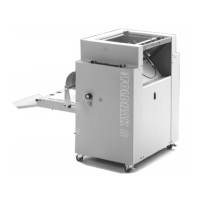
Specifies the designed purpose of the Foldnak 80/100 for stapling and folding booklets.
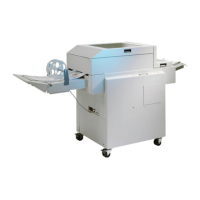
Defines the Trimmer 100's application for inline face trimming of booklets.
Details the Foldnak 80/100's design for booklet making and its processing methods.
Explains the Trimmer 100's function for face trimming of booklets.
Outlines the correct procedure for powering up the Foldnak and connected Trimmer.
Details how to select and adjust paper formats, including predefined and custom options.
Explains how to adjust width, length, staple, and fold positions for precise paper handling.
Describes the procedure to reset the machine's batch counter after confirmation.
Allows setting the paper feed source and booklet finishing mode.
Covers adjusting the delay time of the delivery belts for optimal booklet flow.
Defines the trim offset, which determines the width of the waste material.
Enables configuration for Trimmer connection and trimming or bypass mode.
Explains how to adjust belt delay to prevent booklets from jumping back from the trim stop.
Defines and guides the creation of custom paper formats for specific job requirements.
Allows users to choose the interface language from a list of available options.
Enables switching between metric and imperial units for dimension settings.
Details access to password-protected service functions for trained technicians.
Covers setting the machine's operating speed for S8 and RF operations.
Describes options for clearing booklets, side guides, or performing ejection.
Explains manual adjustments for fold roller clearance and pressure.
Details specifications, wire type, and alignment for the Hohner stapling head.
Covers fixed-position stapling heads and wire specifications for ISP systems.
Instructions for adjusting distance, clincher alignment, and Nagel cartridges for Rapid.
Guides on aligning clinchers and using the alignment tool for Nagel stapling heads.
Details the process of aligning stapling heads with wire rollers and guides.
Provides steps for replacing the clincher, with a caution for pusher insertion.
Instructions for exchanging the driver for flat or loop staple configurations.
Details the process for block stapling, including paper orientation and ramp installation.
Addresses the issue of wire uncoiling too quickly and its adjustment.
Diagnoses reasons for paper jams at the infeed and belt speed settings.
Provides guidance on resolving paper jams, including using the menu clearing function.
Explains how to reset over current fuses and restore the machine to factory default settings.
Details the process for exchanging a Nagel stapling head and removing jammed staples.
Guides on correctly mounting a stapling head and performing a functional test.
Addresses booklet shearing at staples and adjustment of knurled screws.
Explains how to configure trimmer settings, including cutting width, via the Foldnak menu.
Details how to select and adjust the cutting width for the Trimmer operation.
Allows setting the Trimmer's operational mode, such as pass-through or trimming.
Covers adjusting the belt delay for the stop position to prevent booklet jams.
Addresses the error when the waste drawer is full and requires emptying.
Diagnoses causes for poor cutting quality, such as a dull knife or incorrect clearance.
Provides steps for resolving issues where booklets are not fully cut.
Covers errors related to the knife not reaching or stopping at the Top Dead Center (TDC).
Troubleshoots the scenario where the main motor fails to start or run.
Explains manual adjustments to the outfit belt pressure for sensitive sheets or thick booklets.
Details Foldnak actuators, their connection on PCB, pins, and signal types.
Provides a list of Foldnak sensors, their PCB connections, pins, and signal details.
Details Trimmer actuators, their connection on PCB, pins, and signal characteristics.
Provides a list of Trimmer sensors, their PCB connections, pins, and signal details.
Describes the downholder attachment for holding paper during feeding.
Explains the function of leaf springs in preventing paper jams in cut-outs.
Details loop and flat driver blades for Nagel-SH, specifying their use cases.
Lists different stapling heads (Hohner, ISP, Rapid, Nagel) and staple order numbers.
Provides information on the alignment tool for precise stapling head adjustment.
Lists specific parts required for adapting the machine to the smallest format A6.
 General
| Brand | Nagel |
|---|---|
| Model | Trimmer 100 |
| Category | Folding Machines |
| Language | English |


 To Next Page