1.5 OPERATION
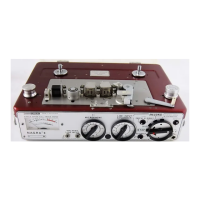
On the right side of the front panel is the main function selector, which determines the mode in which the Nagra
works. By putting it into the position "TEST", all the circuits are powered, but not the motor. If the meter switch,
on the upper right side of the modulometer, is switched to the "BATT. RESERVE" position, the needle of the mod-
ulometer indicates that the Nagra is powered. (if this is not the case see Power Supply in this manual).
With fresh batteries, the needle will not advance to more than half–way up the scale. It only reaches the
extreme right of the scale with an external power supply.
After checking the power supply, put the meter switch to the "LEVEL" position (recording or modulation level).
A microphone can receive sounds of a very variable intensity. The tape must be recorded as fully as possible,
but without the high frequencies passing a level called the "saturation" level. The modulometer indicates the
level of modulation. The needle can deflect up to the mark "Max" on the right of the scale, but should not pass
this limit. If the needle is deflected less, the recording will be of a lower level.
The sensitivity, i.e. the level of recording for a given sound, can be controlled either manually or automatically.
The choice is made by means of the "AUTOMATIC/MANUAL" switch on the upper left of the front panel. In the
position "MANUAL" the level can be controlled by means of potentiometers (6) and (7). In the position "AUTO-
MATIC" the level is controlled by an Automatic Level Controller. The modulometer deflects with respect to the
incoming signal without reaching the extreme right end of the scale.
Tape Speed and Standard Selection
The Nagra 4.2 is capable of running at three different speeds which can be selected by means of "SPEED AND
EQUALIZATION" selector (20) on the top deck of the recorder between the two spools.
The speeds available are
3 3/4 ips (9.525 cm/s)
7 1/2 ips (19.05 cm/s)
15 ips (38.10 cm/s)
Each position of this selector automatically selects the correct equalization of the machine according to the
chosen speed. There are two different positions available for each speed and they are marked "I" and "II" which
represent Standard and Low noise respectively.
For adjustments of equalization and checking of tape speed refer to the 4.2 service manual.
NOTE: The Nagra 4.2 is only equipped with one recording bias oscillator and it is therefore only possible to
bias the recorder for one specific tape type at any one time. However, it is possible to optimize the
equalization in the second position (LN) for a different tape.
Loading a Tape on the Recorder
Select "STOP", then release the tape path from the heads, guides and capstan shaft by pulling lever (32) for-
ward, until it comes to a complete stop. Remove the spool retaining nuts and place a reel of tape on the left
turntable, with the loose end of the tape coming from the left side of the spool. Pass the tape around the left
guide roller and across in front of the heads, and around the right guide roller. Attach the end of the tape to the
empty spool on the right turntable. Replace the two spool retaining nuts, and close lever (32) until it reaches its
original position, thus putting the tape into contact with the heads.


 To Next Page