CHAPTER 2: PILOT
2.1 INTRODUCTION
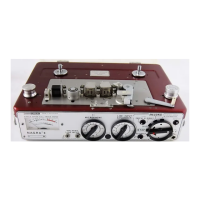
The Nagra 4.2 (NQ–L version) is equipped with a Neopilot system. This system developed by KSA, records a syn-
chronization signal simultaneously with the audio, of 50 Hz (60 Hz in NTSC countries). Two signals are record-
ed in phase opposition so as to avoid any interference with the audio replay chain. The pilot signal serves as a
speed reference to ensure that when the tape is replayed, it is always replayed at the same speed at which it was
recorded. The pilot signal can either be supplied from an external source (a film camera for example) or can be
generated by an optional internal crystal generator (QGX–3).
If a recording is made with a pilot version of the Nagra 4.2 it is later possible, during playback, to lock the speed
of the Nagra by means of the pilot synchronizer (QSLI) to an external reference signal. This means that provid-
ing the "start" point of the recording is known for both the film camera and the Nagra then the two can remain
in perfect synchronization throughout the tape.
To obtain a film with a synchronous sound it is necessary to keep the image and the sound continually slaved to
one another. The acceptable tolerance is in the region of 40 m Sec.
2.2 OPERATION
Recording a Pilot Signal
A pilot signal can be recorded when recording either a line input signal or when using microphones.
Recording the Internal Crystal
For the 4.2 to record its own pilot signal the QGX–3 crystal generator must be fitted to the machine. This circuit
is located on the left side of the battery compartment inside the machine. It has two operating frequencies: 50
or 60 Hz. Check by means of the switches on the circuit that the correct frequency has been selected. Then
switch the main function selector to the "TEST" position. Pilot indicator (15) on the top right side of the front
panel should show a white segment. If this is not the case then check that the pilot crystal shorting plug is locat-
ed in pilot socket (44).
This jumper plug is like a blank screw with the letters "XTAL" marked on it. If this is installed and the rotary indi-
cator does not show a white segment then check that the machine is correctly powered and that power selector
(3) is in the correct position with respect to the supplied source. If this is all correct but the indicator remains
black then consult your nearest Nagra agent.
Once the indicator shows a white segment, the pilot signal will be recorded automatically. No further manipula-
tion of the pilot system is needed.
Recording an External Pilot Signal
Remove the crystal shorting plug in connector (44) and feed pilot input socket (44) by means of the QCP cable.
The other end of the cable must be connected to the source (either an ATN–3, camera ... ). Check that the exter-
nal pilot signal is present by switching the machine to the "TEST" position as above. While making a recording
the cable must always be left connected.
Make the recording as above.


 To Next Page