EasyManua.ls Logo

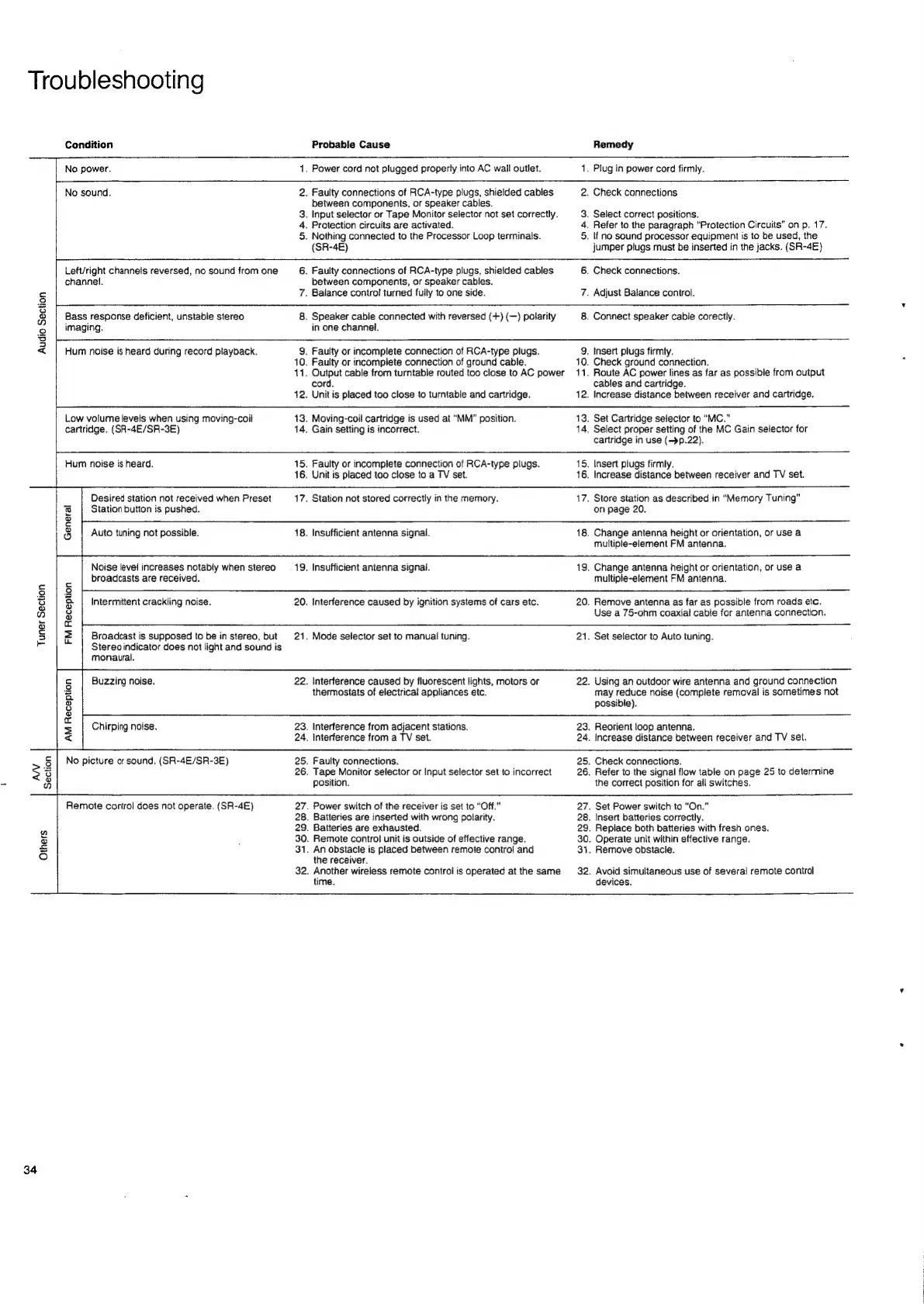
Nakamichi SR-4E - Troubleshooting; Troubleshooting Guide

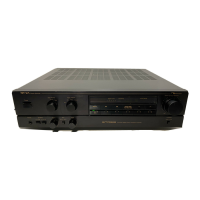
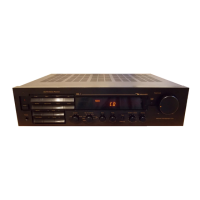
Nakamichi SR-4E
36 pages
Print Icon
To Next Page IconTo Next Page
To Previous Page IconTo Previous Page
Loading...
Troubleshooting
Remedy
.
Power
cord
not
plugged
properly
into
AC
wail
outlet.
.
Faulty
connections
of
RCA-type
plugs,
shieided
cables
between
components,
or
speaker
cables.
.
Input
selector
or
Tape
Monitor
selector
not
set
correctly.
.
Nothing
connected
to
the
Processor
Loop
terminalis.
.
Faulty
connections
of
RCA-type
plugs,
shielded
cables
between
components,
or
speaker
cables.
ap
w
nN
a
.
Plug
in
power
cord
firmly.
.
Check
connections
.
Select
correct
positions.
.
Refer
to
the
paragraph
“Protection
Circuits”
on
p.
17.
.
if
no
sound
processor
equipment
is
to
be
used,
the
jumper
plugs
must
be
inserted
in
the
jacks.
(SR-4E)
.
Check
connections.
.
Adjust
Balance
control.
.
Speaker
cabie
connected
with
reversed
(+)
(—)
polarity
.
Faulty
or
incomptete
connection
of
RCA-type
plugs.
Faulty
or
incomplete
connection
of
ground
cable.
Output
cable
from
turntable
routed
too
close
to
AC
power
Unit
is
placed
too
close
to
turntable
and
cartridge.
Moving-coil
cartridge
is
used
at
“MM”
position.
Faulty
or
incomplete
connection
of
RCA-type
plugs.
Station
not
stored
correctly
in
the
memory.
Interference
caused
by
ignition
systems
of
cars
etc.
Interference
caused
by
fluorescent
lights,
motors
or
thermostats
of
electrical
appliances
etc.
Tape
Monitor
selector
or
Input
selector
set
to
incorrect
.
Power
switch
of
the
receiver
is
set
to
“Off.”
.
Batteries
are
inserted
with
wrong
polarity.
.
Remote
control
unit
is
outside
of
effective
range.
.
An
obstacle
is
placed
between
remote
control
and
Condition
Probable
Cause
No
power.
1
No
sound.
2
3
4.
Protection
circuits
are
activated.
5
(SR-4E)
Left/right
channels
reversed,
no
sound
from
one
6
channel.
Ss
7.
Balance
contro!
turned
fully
to
one
side.
3
Bass
response
deficient,
unstable
stereo
8
©
|
imaging.
in
one
channel.
g
<
Hum
noise
is
heard
during
record
playback.
9
10.
+1.
cord.
12.
Low
volume
levels
when
using
moving-coil
13.
cartridge.
(SR-4E/SR-3E)
14.
Gain
setting
is
incorrect.
Hum
noise
is
heard.
15.
16.
Unit
is
placed
too
close
to
a
TV
set.
Desired
station
not
received
when
Preset
17.
i
Station
button
is
pushed.
a
i=
3
Auto
tuning
not
possible.
18.
Insufficient
antenna
signal.
Noise
level
increases
notably
when
stereo
_—-
19.
Insufficient
antenna
signal.
broadcasts
are
received.
c
i=
§|2
es
9
&
|
Intermittent
crackling
noise.
20.
an)
3
5
a
3
z
Broadcast
is
supposed
to
be
in
stereo,
but
21.
Mode
selector
set
to
manual
tuning.
i
Stereo
indicator
does
not
light
and
sound
is
monaural.
5
Buzzing
noise.
22.
a
o
oO
id
s
Chirping
noise.
23.
Interference
from
adjacent
stations.
<
24.
Interference
from
a
TV
set.
>
§
|
No
picture
or
sound.
(SR-4E/SR-3E)
25.
Faulty
connections.
3
26.
is)
*
B
position.
Remote
control
does
not
operate.
(SR-4E)
27
28
*
29.
Batteries
are
exhausted.
o
30
£
31
o
the
receiver.
32.
34
.
Another
wireless
remote
control
is
operated
at
the
same
time.
12.
13.
.
Select
proper
setting
of
the
MC
Gain
selector
for
15.
16.
17.
18.
19.
20.
21.
22.
23.
24.
25.
26.
.
Connect
speaker
cable
corectly.
.
Insert
plugs
firmly.
10.
11.
Check
ground
connection.
Route
AC
power
lines
as
far
as
possible
from
output
cables
and
cartridge.
Increase
distance
between
receiver
and
cartridge.
Set
Cartridge
selector
to
“MC.”
cartridge
in
use
(~»p.22).
Insert
plugs
firmly.
Increase
distance
between
receiver
and
TV
set.
Store
station
as
described
in
“Memory
Tuning”
on
page
20.
Change
antenna
height
or
orientation,
or
use
a
multiple-element
FM
antenna.
Change
antenna
height
or
orientation,
or
use
a
multiple-element
FM
antenna.
Remove
antenna
as
far
as
possible
from
roads
etc.
Use
a
75-ohm
coaxial
cable
for
antenna
connection.
Set
selector
to
Auto
tuning.
Using
an
outdoor
wire
antenna
and
ground
connection
may
reduce
noise
(complete
removal
is
sometimes
not
possible).
Reorient
loop
antenna.
Increase
distance
between
receiver
and
TV
set.
Check
connections.
,
Refer
to
the
signal
flow
table
on
page
25
to
deterrnine
the
correct
position
for
all
switches.
.
Set
Power
switch
to
“On.”
.
Insert
batteries
correctly.
.
Replace
both
batteries
with
fresh
ones.
.
Operate
unit
within
effective
range.
.
Remove
obstacle.
.
Avoid
simultaneous
use
of
several
remote
control
devices.

Related product manuals