EasyManua.ls Logo

NAMCO PAC-MAN SMASH - User Manual

NAMCO PAC-MAN SMASH
214 pages
Print Icon
To Next Page IconTo Next Page
Loading...
M259_Intro_EN.indd 2 2/5/2013 7:39:59 AM
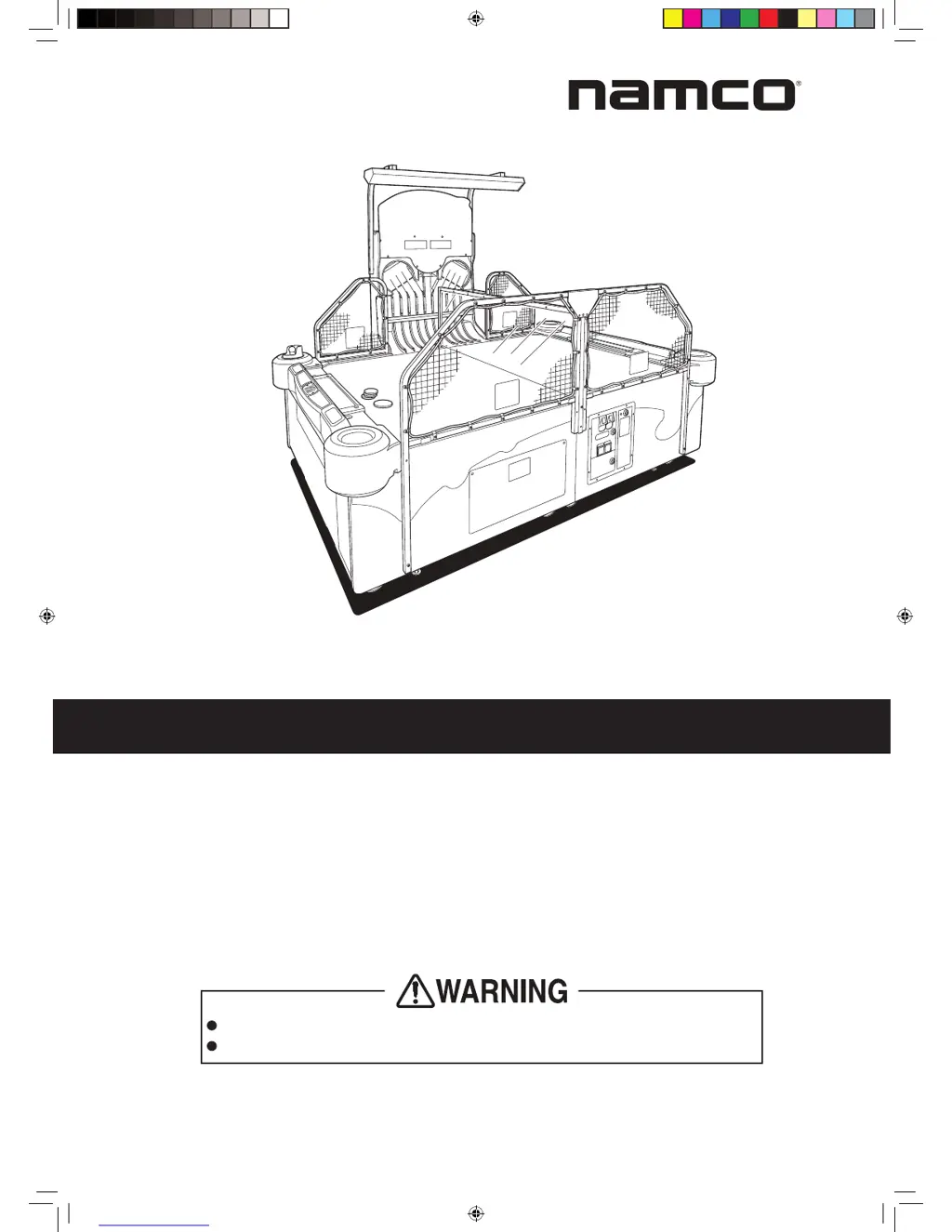
PAC-MAN SMASH
Operation Manual
To ensure safe operation of the machine, be sure to read this Operation Manual before use.
Keep this Operation Manual in a safe place for quick access whenever needed.
The actual product may differ slightly from the illustrations in this Operation Manual.
NAMCO BANDAI Games Inc.

Table of Contents

Other manuals for NAMCO PAC-MAN SMASH

Questions and Answers

  • L
    Lisa GriffithSep 3, 2025
    What to do if the NAMCO PAC-MAN SMASH Game hopper disk operates, but pucks don't come out?
    • K
      Kelly MyersSep 4, 2025
      If the hopper disk in your NAMCO Game is working but no pucks are coming out, first check if there are enough pucks and add spares to the hopper. Also, ensure that no pucks are standing on edge inside the hopper; remove the side tower assembly, clear all pucks, and then correctly replace them. Finally, verify that the hopper spring is correctly installed.
  • K
    Kristina SmithSep 18, 2025
    What to do if the circle LED does not light in NAMCO Game?
    • C
      Cindy FrostSep 18, 2025
      If the circle LED on your NAMCO Game isn't lighting up, it could be due to a malfunction in the circle LED itself, requiring replacement. Alternatively, the main PC board might be malfunctioning and also need replacement.
  • R
    rachel92Sep 16, 2025
    What to do if the score LED PC board does not light in NAMCO Game?
    • E
      Erika DaughertySep 16, 2025
      If the score LED PC board in your NAMCO Game isn't lighting up, it could be due to a malfunction in the score LED PC board itself, requiring replacement. Alternatively, the main PC board might be malfunctioning and also need replacement.
  • J
    Jacob SimonSep 14, 2025
    What to do if the time LED PC board does not light in NAMCO Game?
    • W
      william46Sep 14, 2025
      If the time LED PC board in your NAMCO Game does not light up, the time LED PC board itself may be malfunctioning and need replacing. Alternatively, the main PC board could be the problem, and it may also need replacement.
  • G
    gkaufmanSep 12, 2025
    What to do if the L divider solenoid does not operate in NAMCO PAC-MAN SMASH?
    • A
      Adrian Rogers DDSSep 12, 2025
      If the L divider solenoid in your NAMCO Game is not operating, check for any foreign objects inside the L escalator assembly and remove them by taking off the L rail (H) cover. If there are no obstructions, the L divider solenoid itself may be malfunctioning and need replacement. It's also possible that the switching regulator (24V) is malfunctioning, requiring replacement as well.
  • A
    Adam GreenSep 12, 2025
    What to do if multiple big pucks are supplied at once in NAMCO Game?
    • S
      Stephen RodriguezSep 12, 2025
      If multiple big pucks are being supplied at once in your NAMCO Game, ensure that the L rail (H) cover is correctly installed. Also, the L divider outlet sensor may be malfunctioning and require replacement.
  • S
    Steven FernandezSep 9, 2025
    What to do if pucks remain inside the joint rail cover of NAMCO PAC-MAN SMASH Game?
    • S
      Sarah LittleSep 9, 2025
      If pucks are remaining inside the joint rail cover of your NAMCO Game, the S divider outlet sensor may be malfunctioning, requiring replacement.
  • M
    Michael YoungSep 7, 2025
    What to do if mini pucks frequently mix into the L hopper of NAMCO PAC-MAN SMASH?
    • C
      Colton McdanielSep 7, 2025
      If mini pucks are frequently mixing into the L hopper of your NAMCO Game, ensure that the pendulum stopper on rail (L) assembly is correctly installed. Also, check and clean the puck paths on the rail (R) assembly, as they may be dirty.
  • C
    christinegarciaSep 5, 2025
    What to do if sound is not output from NAMCO PAC-MAN SMASH?
    • S
      Sherry RiveraSep 5, 2025
      If there is no sound coming from your NAMCO Game, first check the volume setting and adjust it as needed. If the volume is properly adjusted and there is still no sound, the main PC board may be malfunctioning and require replacement.
  • Z
    Zachary JonesAug 20, 2025
    What to do if the NAMCO Game does not start even when turned on?
    • P
      Peter Johnson DDSAug 21, 2025
      If your NAMCO Game isn't starting, there could be several reasons. First, ensure the power cord is correctly and securely connected to both the outlet and the machine. If that's not the issue, the PCB base might not be installed correctly, so ensure it is properly installed. Alternatively, there may be a malfunction with the main PC board or the switching regulator, requiring you to replace the corresponding part.

Summary

PAC-MAN SMASH Operation Manual

Safety Precautions

Critical Safety Precautions

Lists essential safety measures for operating the machine safely.

Overall Structure (Part Names)

Installation

Moving and Transporting

Operation

Safety Precautions for Playing

Outlines rules and actions players must follow for safe gameplay.

Important Parts for Player;Bystander Safety

Highlights critical components that ensure the safety of players and bystanders.

Pre-operation Inspection

Covers safety and function checks before and after machine startup.

Technician’s Manual

Installation and Assembly

Covers technical procedures for installing and assembling the machine.

Removing, Installing, and Replacing Parts

Detailed procedures for replacing various machine components.

Error Display and Resolution (for Technicians)

Explains error codes and provides troubleshooting steps for technicians.

Troubleshooting Guide

Covers troubleshooting for common issues across machine assemblies and components.

Wiring Diagram

NAMCO PAC-MAN SMASH Specifications

General IconGeneral
BrandNAMCO
ModelPAC-MAN SMASH
CategoryGame
LanguageEnglish

Related product manuals